126
Set the camera to record the Live View image as a movie. To shoot still
photos, see pages 107 and 136.
1
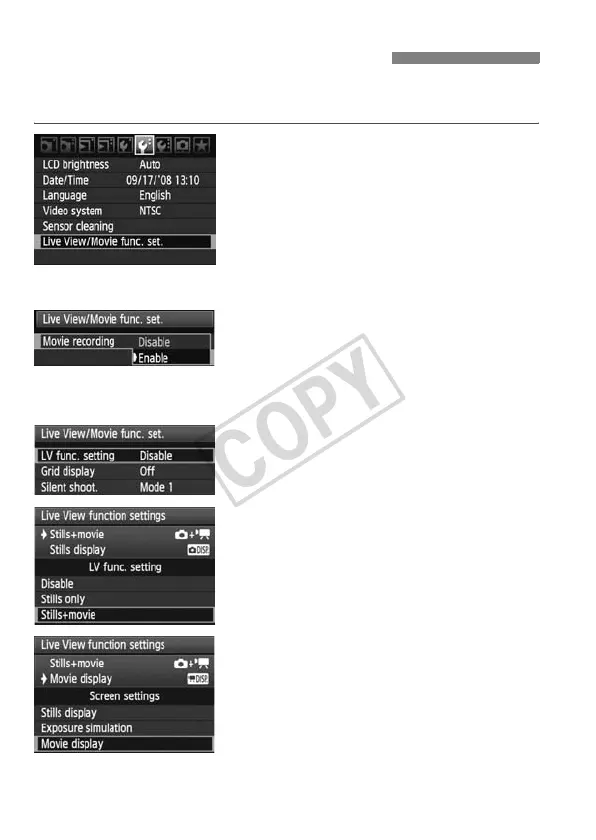
Select [Live View/Movie func.
set.].
Under the [6] tab, select [Live View/
Movie func. set.], then press <0>.
2
Enable movie shooting.
1/C Modes
Turn the <5> dial to select [Movie
recording], then press <0>.
Turn the <5> dial to select [Enable],
then press <0>.
d/s/f/a/F Modes
Turn the <5> dial to select [LV func.
setting], then press <0>.
Turn the <5> dial to select
[Stills+movie], then press <0>.
Turn the <5> dial to select [Movie
display], then press <0>.
k Preparing to Shoot Movies













 To Next Page