128
When the shooting mode is set to <1>, <C>, <d>, or <F>, auto
exposure control will take effect to suit the scene’s brightness.
Auto exposure control will be the same for all shooting modes.
1
Set the Mode Dial to <1>, <C>,
<d>, or <F>.
If the LCD monitor image turns off
when you turn the Mode Dial, set the
shooting mode, then press the <A>
button again.
2
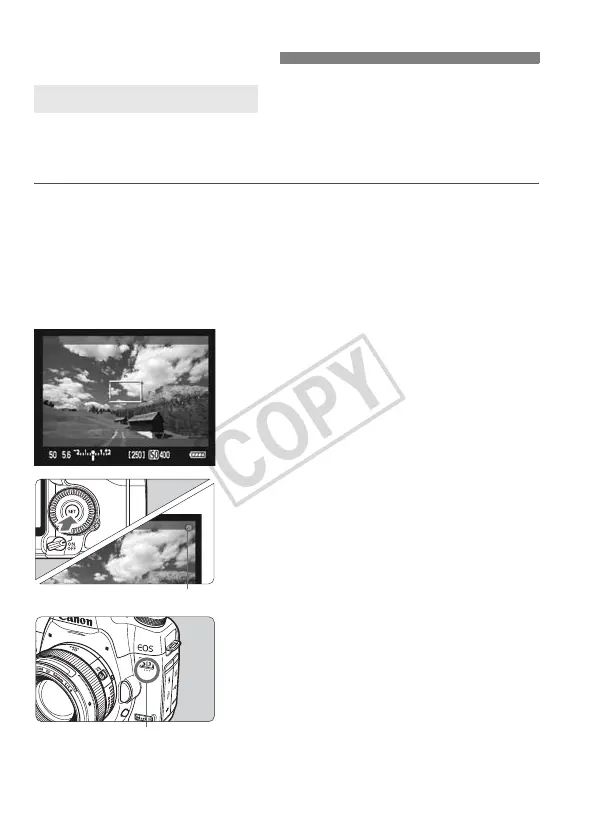
Focus the subject.
Before shooting a movie, focus with
AF or manual focus (p.115-122).
Press the <p> button to focus
in the current AF mode.
3
Shoot the movie.
Press <0>.
X Movie shooting will begin. While the
movie is being shot, the “o” mark will
be displayed on the upper right of the
screen.
If the AF mode is Live mode or Liveu
mode, you can press the <p>
button during movie shooting to focus
again.
To end movie shooting, press <0>
again.
k Shooting Movies
Auto Exposure Shooting
Movie microphone
Recording movie














 To Next Page