130
k Shooting Movies
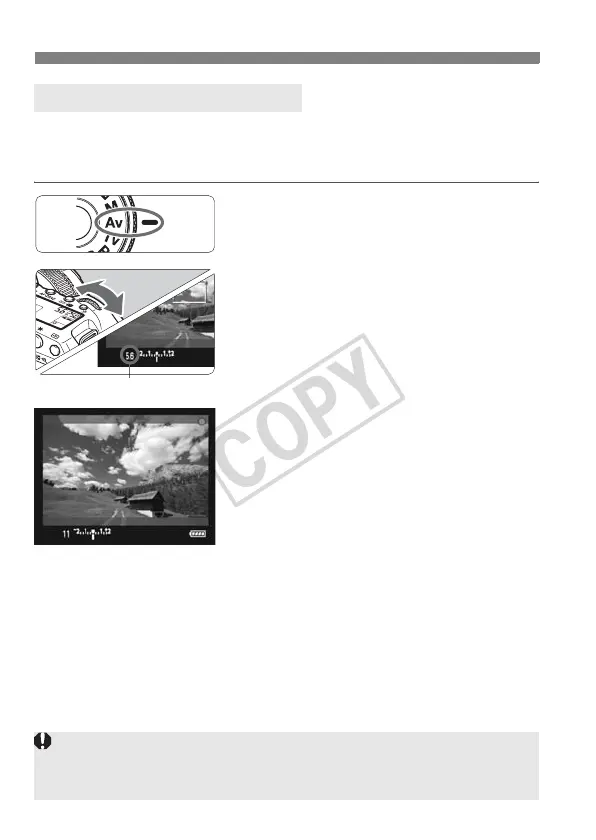
When the shooting mode is set to <f>, you can manually set the
aperture for movie shooting. The ISO speed and shutter speed will be
set automatically to obtain a correct exposure.
1
Set the Mode Dial to <f>.
2
Set the desired aperture.
While looking at the LCD monitor,
turn the <6> dial.
3
Focus and shoot the movie.
The procedure is the same as steps 2
and 3 for “Auto Exposure Shooting”
(p.128).
Aperture-priority AE Shooting
Aperture
Changing the aperture during movie shooting is not recommended since
changes in the exposure, due to the drive of the lens aperture, will be
recorded.













 To Next Page