40
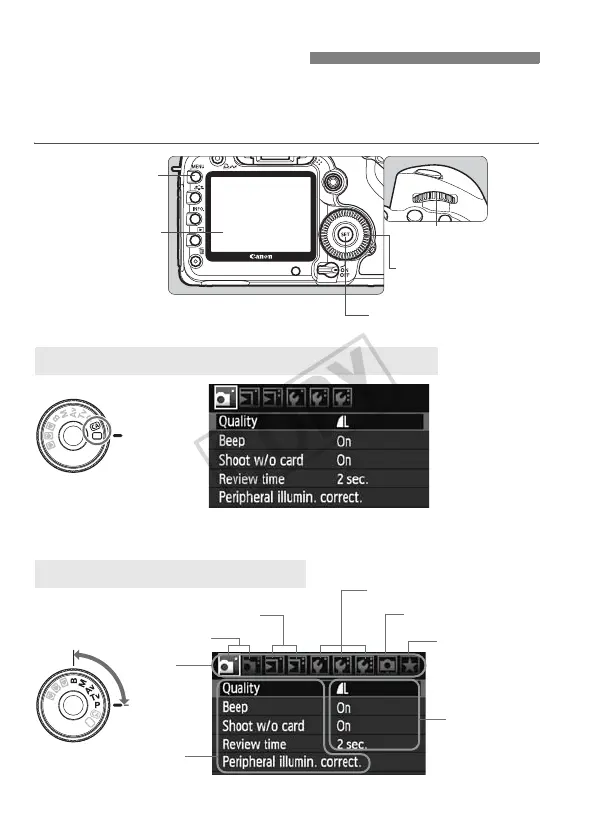
You can set various functions with the menus such as the image-
recording quality, date/time, etc. While looking at the LCD monitor, you
use the <
M
> button on the camera back and the <
6
> <
5
> dials.
3 Menu Operations
*The [2/8/9] tabs are not displayed in the fully-automatic modes. When
a fully-automatic mode is set, there are menu items which are not displayed.
d/s/f/a/F Menu Screen
Tab
Menu items
Menu settings
1 Shooting
5 Set-up
9 My Menu
3 Playback
Fully-Automatic Modes (1/C) Menu Screen
<5>
Quick Control Dial
<M> button
<6> Main Dial
LCD monitor
<0> button
8
Custom Functions














 To Next Page