186
d Transferring Images to a Personal Computer
The images sent to the personal computer will be saved in the [My
Pictures] folder or [Pictures] folder in subfolders organized according
to the shooting date.
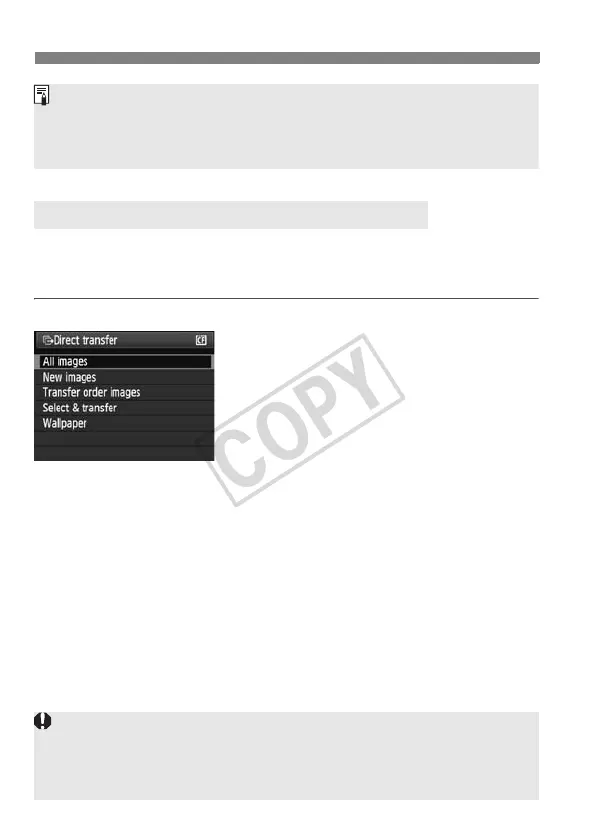
All images
This is to transfer all the images in the
card to the personal computer.
Select [All images], then press the
<l> button.
X The <l> button’s blue lamp will
blink and the image transfer will start.
X When the image transfer is
completed, the lamp will stay on.
Transferring Images to a Personal Computer
If the [EOS Utility] screen does not appear, see Software Instruction
Manual in the CD-ROM.
Before disconnecting the cable, turn off the camera. Pull out the cable by
grasping the plug (instead of the cord).
Since movie files are larger than still photo files, they will take longer to
transfer.
During the file transfer, do not disconnect the cable.
Shooting will be disabled while the direct transfer screen is displayed.













 To Next Page