18
Quick Start Guide
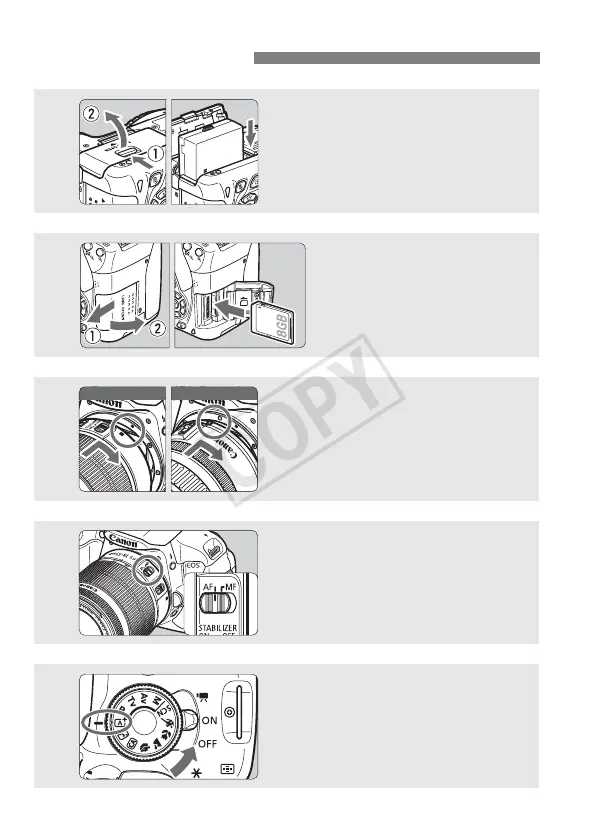
1
Insert the battery (p.30).
To charge the battery, see page 28.
2
Insert a card (p.31).
With the card’s label facing
toward the back of the
camera, insert it into the card
slot.
3
Attach the lens (p.39).
Align the lens’ white or red index
with the camera’s index in the
matching color.
4
Set the lens focus mode switch
to <AF>
(p.39).
5
Set the power switch to <1>,
and set the Mode Dial to <A>
(Scene Intelligent Auto)
(p.58).
All the necessary camera settings
will be set automatically.
White index Red index



 To Next Page