Quick Reference Guide
378
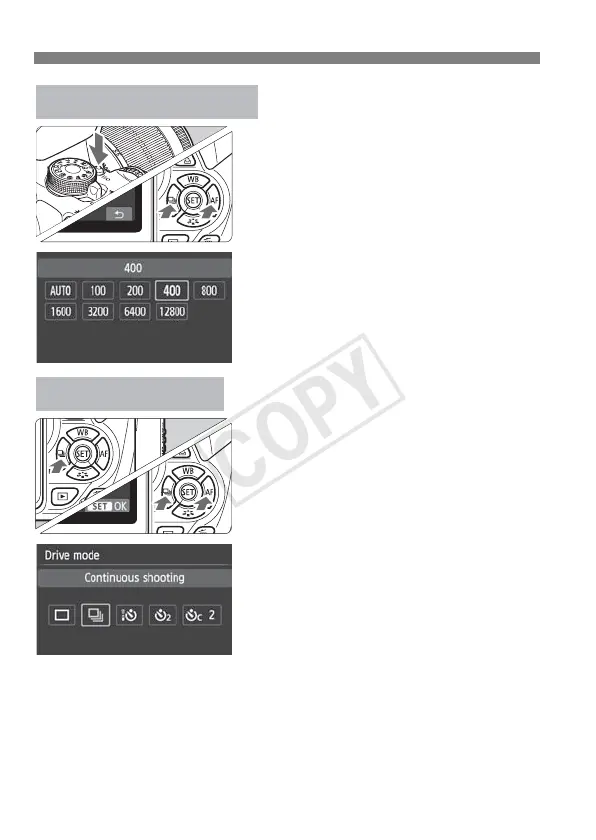
Press the <i> button.
Press the <U> key or turn the
<6> dial to select the ISO
speed, then press <0>.
When [AUTO] is selected, the
ISO speed is set automatically.
When you press the shutter
button halfway, the ISO speed
setting is displayed.
i: ISO SpeedN
Press the <YiQ> button.
Press the <U> key or turn the
<6> dial to select the drive
mode, then press <0>.
u : Single shooting
i : Continuous shooting
Q : Self-timer:10 sec./Remote
control
l : Self-timer:2 sec.
q : Self-timer:Continuous
i Drive Mode



 To Next Page