375
Quick Reference Guide
A
Scene Intelligent Auto
7
Flash Off
C
Creative Auto
2
Portrait
3
Landscape
4
Close-up
5
Sports
8 Special scene
6
Night Portrait
F
Handheld Night Scene
G
HDR Backlight Control
All the settings necessary for
shooting are set automatically.
You just press the shutter button,
and the camera does the rest.
Basic Zone Modes
B
a
s
i
c
Z
o
n
e
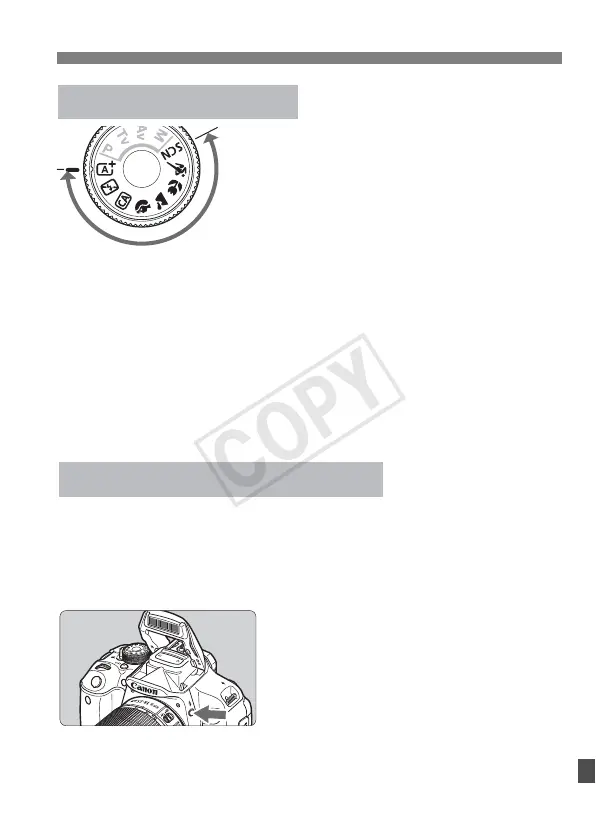
At the 8 position, press the <Q> button, select the shooting
mode icon with <S> key, and turn the <6> dial to set the
shooting mode.
Basic Zone Modes
If necessary, the built-in flash will be raised and fire automatically
in low-light or backlit conditions (except in the <7> <3> <5>
<F> <G> modes).
D Using the Built-in Flash
Creative Zone Modes
Press the <D> button to raise the
built-in flash, then shoot.


 To Next Page