97
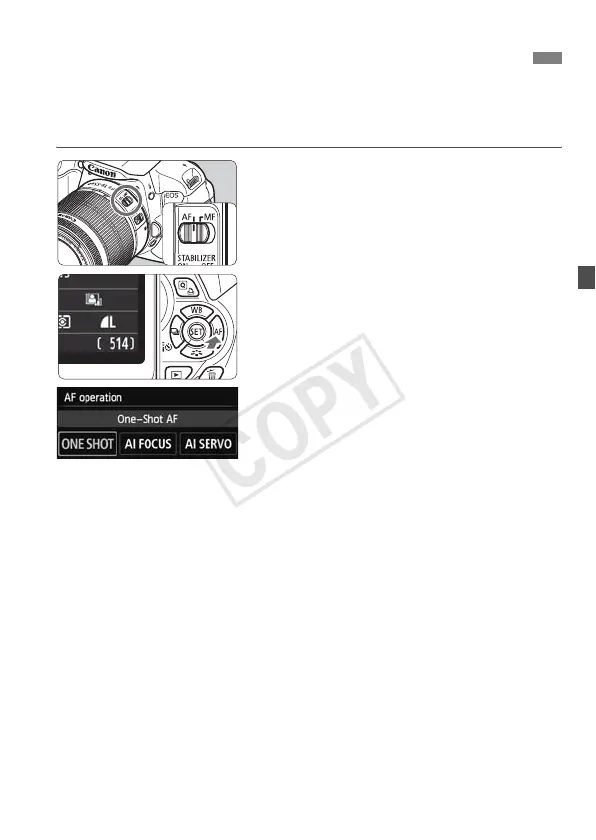
You can select the AF (autofocus) operation characteristics suiting the
shooting conditions or subject. In Basic Zone modes, the optimum AF
operation is set automatically for the respective shooting mode.
1
On the lens, set the focus mode
switch to <AF>.
2
Press the <Zf> button.
X [AF operation] will appear.
3
Select the AF operation.
Press the <U> key or turn the
<6> dial to select the desired AF
operation, then press <0>.
4
Focus the subject.
Aim the AF point over the subject and
press the shutter button halfway. The
camera will then autofocus in the
selected AF operation.
f: Changing the Autofocus OperationN



 To Next Page