196
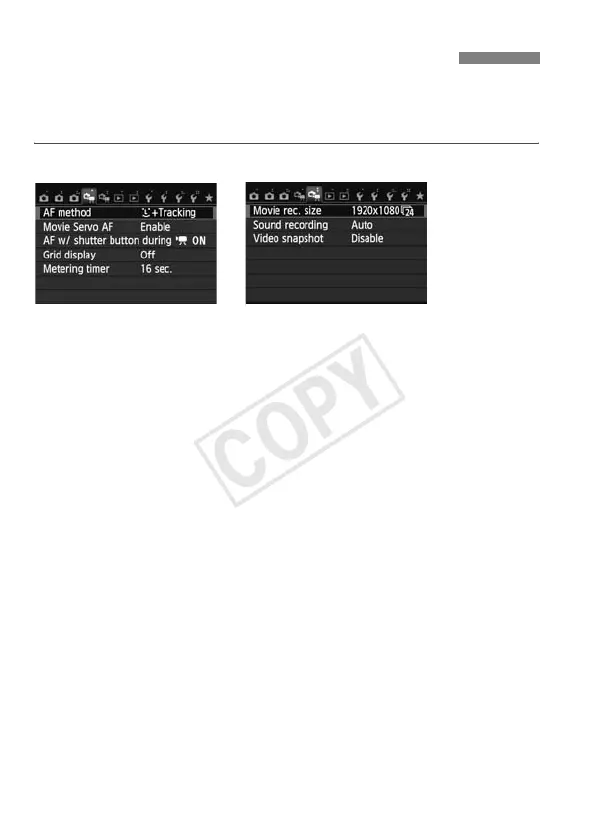
When you set the power switch to <k>, the [Z1/Z2] tab will show
functions dedicated to movie shooting. The menu options are as
follows.
[Z1] menu [Z2] menu
AF method
The AF methods are the same as described on pages 159-165. You
can select [u+Tracking], [FlexiZone - Multi], or [FlexiZone -
Single].
Movie Servo AF
The default setting is [Enable]. You can focus by pressing the
shutter button halfway regardless of the setting.
• When [Enable] is set:
• You can shoot a movie while focusing a moving subject
continuously. Note that the camera may record the lens operation
noise. To reduce the recording of the lens operation noise, use a
commercially-available external microphone. Using EF-S18-
55mm f/3.5-5.6 IS STM or EF-S18-135mm f/3.5-5.6 IS STM lens
can minimize the focusing noise recorded during movie shooting.
• During Movie Servo AF, turn off the power before you set the
lens’s focus mode switch to <MF>.
3 Movie Menu Function Settings



 To Next Page