76
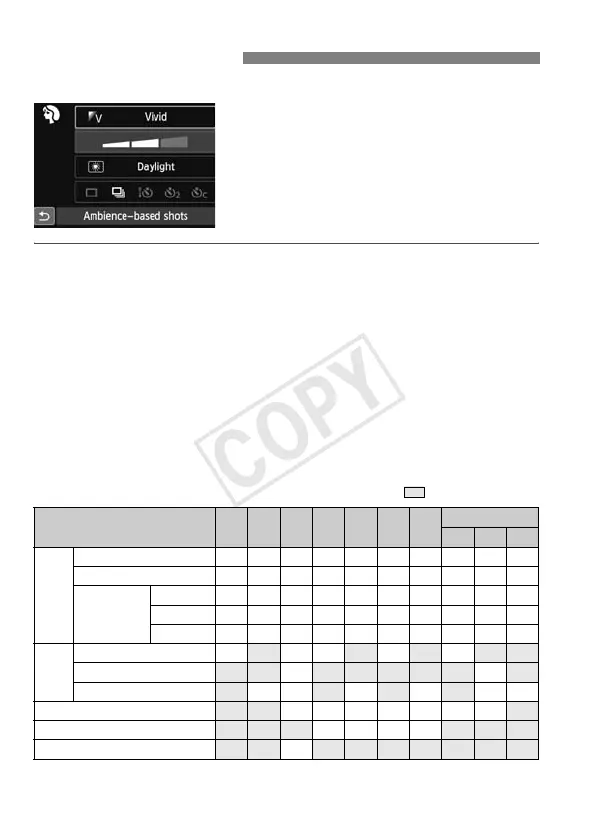
In Basic Zone modes when the shooting
settings screen is displayed, you can
press the <Q> button to display the
Quick Control screen. The table below
indicates the functions that can be set
with the Quick Control screen in each
Basic Zone mode.
1 Set the Mode Dial to a Basic Zone mode.
2Press the <Q> button. (7)
X The Quick Control screen will appear.
3Set the function.
Press the <S> key to select a function. (This step is not
necessary in the <A> and <7> modes.)
X The selected function and Feature guide (p.52) will appear.
Press the <U> key or turn the <6
> dial to change the setting.
Settable Functions in Basic Zone Modes
o: Default setting k: User selectable : Not selectable
* If you change the shooting mode or set the power switch to <2>, it will revert
to the default settings (except the self-timer).
Q Quick Control
Function A 7 C 2 3 4 5
8
6 F G
Drive
mode
u: Single shooting
o o o k o o k o o o
i: Continuous shooting
k k k o k k o k k k
Self-timer
(p.106)
Q
k k k k k k k k k k
l
k k k k k k k k k k
q
k k k k k k k k k k
Flash
firing
:a Automatic firing
o o o o o
D:
Flash on (Fires at all times)
k k
b: Flash off
o k o o o o
Ambience-based shots (p.77)
k k k k k k k
Light/scene-based shots (p.81)
k k k k
Blurring/sharpening the background (p.65)
k
Example: Portrait mode



 To Next Page