4
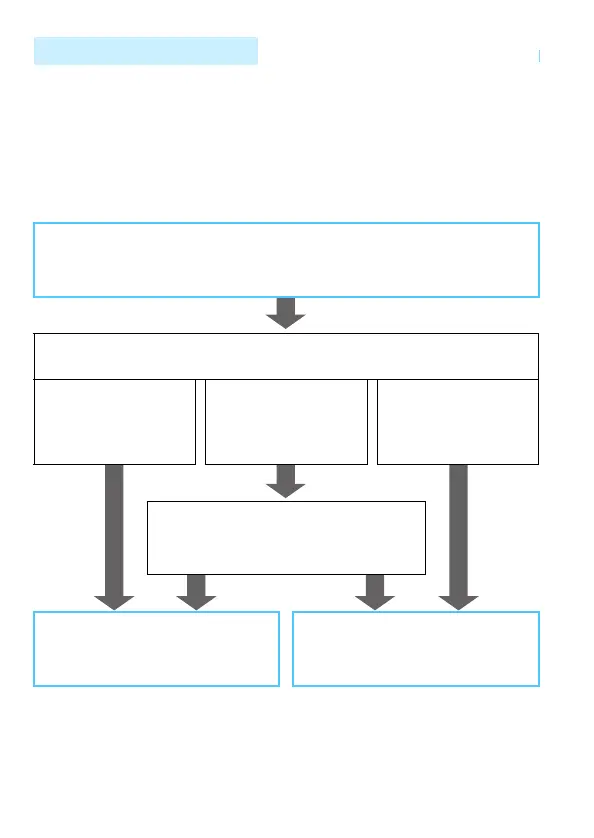
This manual consists of “Getting Started”, “Easy Connection”, and
“Advanced Connection”. After registering a nickname in Getting Started
(p.19), see the following pages according to your needs.
z/Connect Station: “Easy Connection” (p.23)
o/m: “Advanced Connection” (p.65)
q/l: “Easy Connection” or “Advanced Connection” depending on
your needs
Structure of This Manual
Getting Started (p.11)
Explains the basic operations and how to register a nickname.
Selecting Connection Destination
z Camera
Connect Station
q Smartphone
l Printer
o Media player
m Web service
Select Connection Method
For q or l, you can select the connection
method.
Easy Connection (p.23)
Connect the camera directly to the
device.
Advanced Connection (p.65)
Connect using a Wi-Fi access point.



 To Next Page