40
Easy Image Transfer Using the NFC Function
4
Press <0>.
5
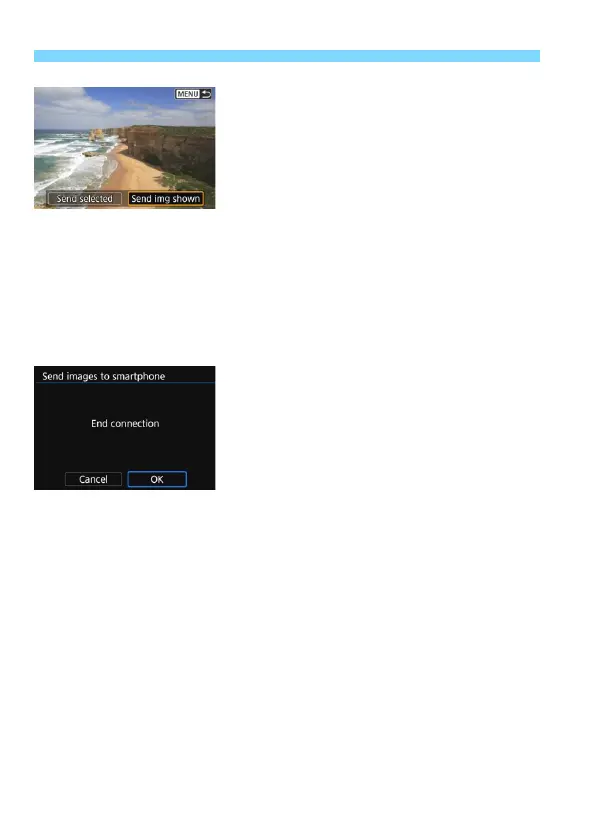
Select [Send img shown].
Press the <Y> <Z> keys to select
[Send img shown], then press <0>.
When you select [Send selected],
the screen in step 2 on page 41 is
displayed.
X The displayed image will be sent.
When the transfer is complete, the
screen for step 3 will reappear. To
send another image, select an image
and press <0> (p.42).
6
Terminate the connection.
Press the <M> button to display
the confirmation dialog. Press the
<Z> key to select [OK], then press
<0> to terminate the connection.


 To Next Page