48
Sending Images
4
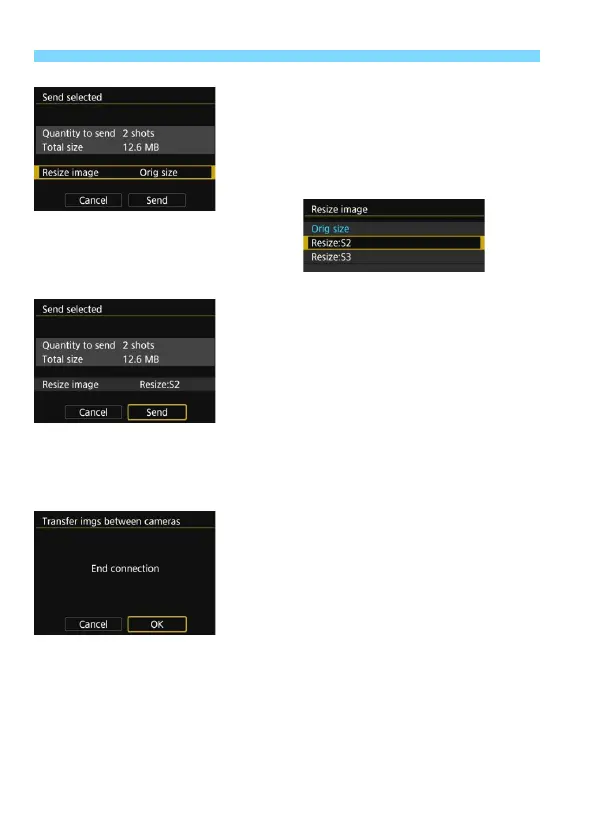
Reduce the image size.
Set it if necessary.
On the next screen, press the <W>
<X> keys to select an image size,
then press <0>.
5
Send the images.
Press the <W> <X> keys to select
[Send], then press <0> to send the
images.
X The transfer progress screen will
appear. When the transfer is
complete, the screen for step 1 will
reappear.
To send another image, repeat steps
1 to 5.
6
Terminate the connection.
Press the <M> button to display
the confirmation dialog. Press the
<Z> key to select [OK], then press
<0> to terminate the connection.
X The [Wi-Fi function] screen will
reappear.



 To Next Page