Highlight Tone Priority
You can reduce overexposed, clipped highlights.
1.
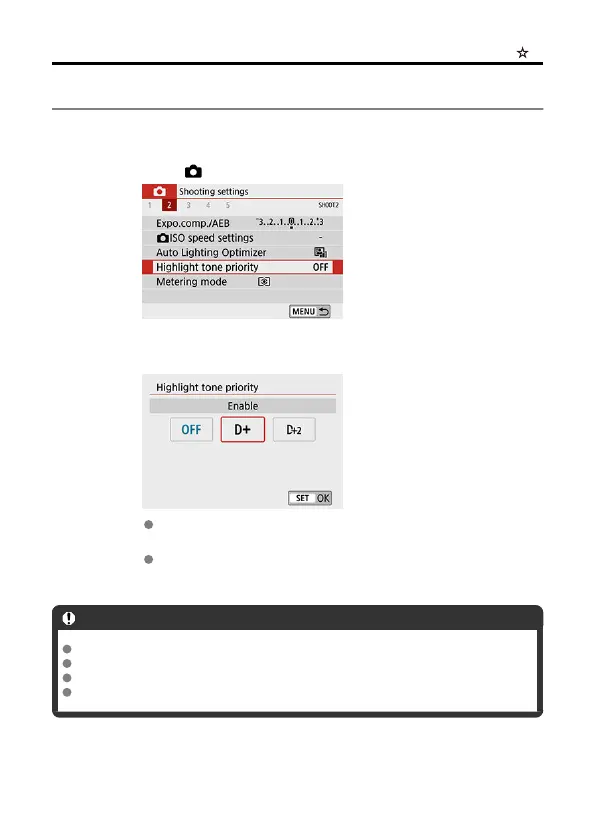
Select [ : Highlight tone priority].
2.
Set an option.
[Enable]: Improves gradation in highlights. The gradation between the
grays and highlights becomes smoother.
[Enhanced]: Reduces overexposed highlights even more than
[Enable], under some shooting conditions.
Caution
Noise may increase slightly.
The available ISO range starts at ISO 200. Expanded ISO speeds cannot be set.
[Enhanced] is not available when recording movies.
With [Enhanced], results in some scenes may not look as expected.
287



 To Next Page