During Playback
1.
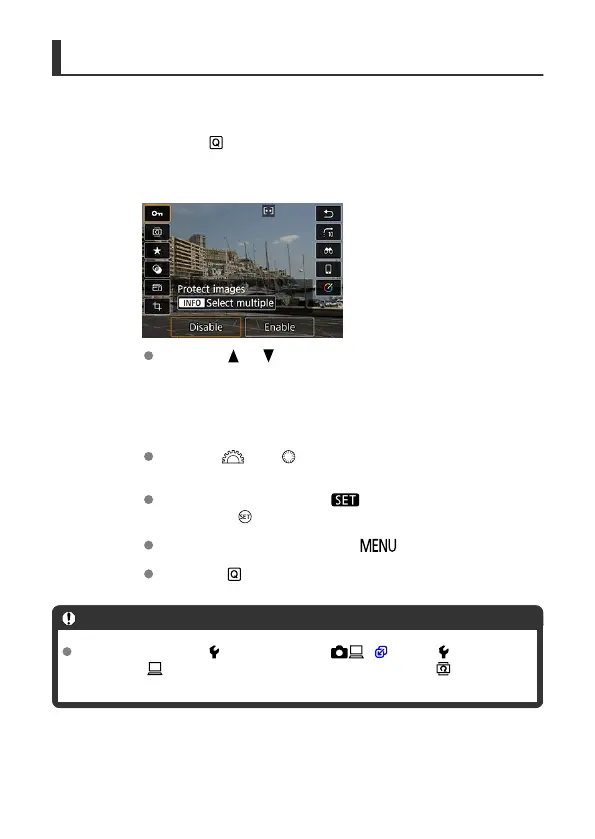
Press the < > button.
2.
Select a setting item.
Press the < > < > keys for selection.
3.
Select an option.
Turn the < > or < > dial to adjust the setting. Some items are
set by pressing a button after this.
Configure items labeled with a [ ] icon on the bottom of the screen
by pressing
< >.
To cancel this operation, press the < > button.
Press the < > button to return to the previous screen.
Caution
For image rotation, set [ : Auto rotate] to [On ] ( ). When [ : Auto rotate]
is set to [On ] or [Off], images will be tagged with your selected [ Rotate
stills] option but not rotated on the camera.
95



 To Next Page