183
Displaying the Status Screens
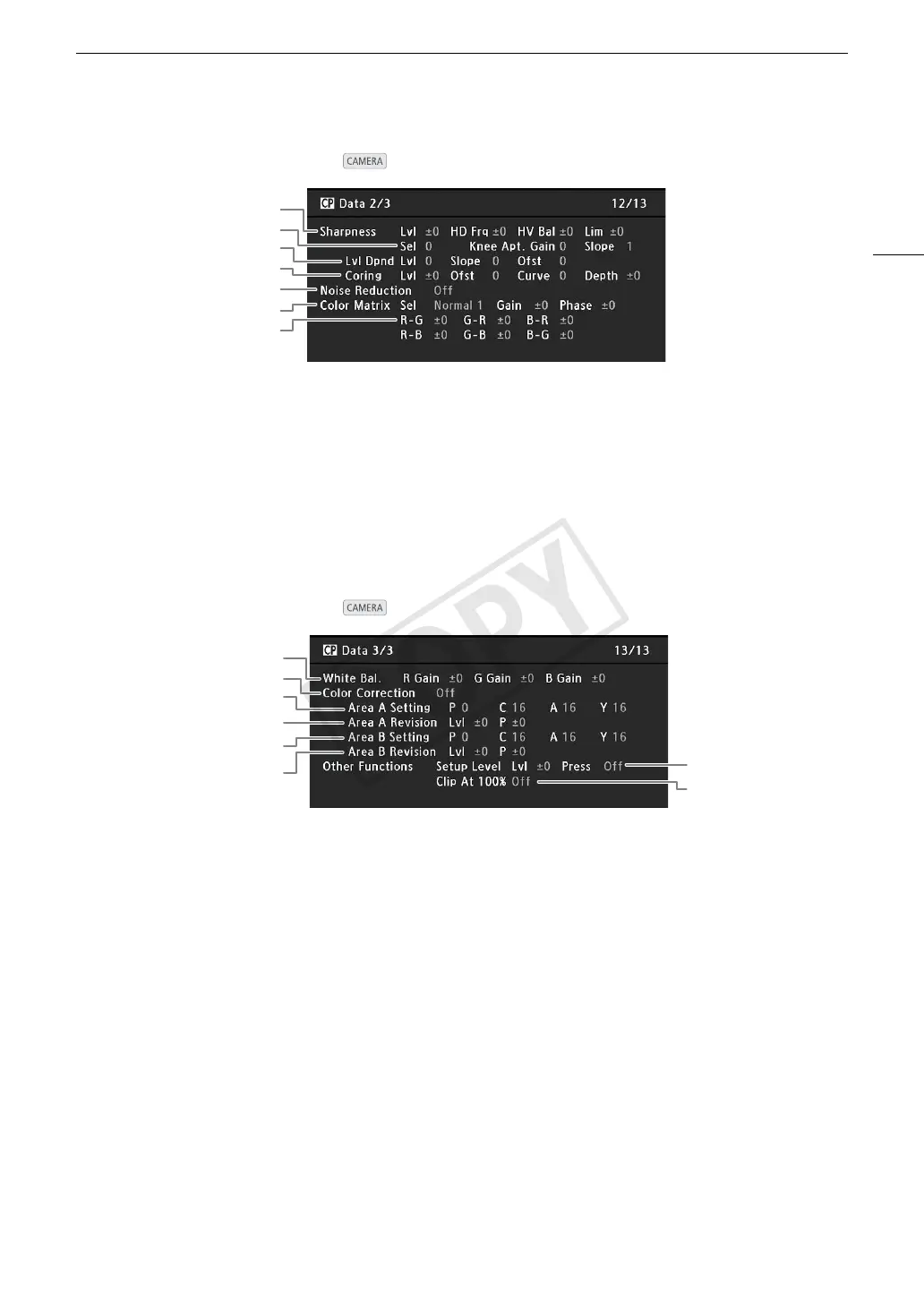
[/ Data 2/3] Status Screen ( mode only)
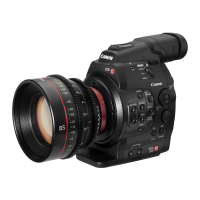
[/ Data 3/3] Status Screen ( mode only)
1
3
2
5
6
7
4
1 Sharpness settings (level, horizontal detail
frequency, horizontal/vertical detail balance, and
limit) (A 119)
2 Sharpness settings (select, knee aperture gain
and slope) (A 119)
3 Level depend settings (level, slope and offset)
(A 120)
4 Coring settings (level, offset, curve and depth)
(A 119)
5Noise reduction (A 120)
6 Color matrix settings (select, gain and phase)
(A 120)
7 Color matrix settings (A 120)
1
3
2
5
6
4
7
8
1 White balance RGB gain (A 121)
2 Color correction (A 121)
3 Area A settings (phase, chroma, area and Y level)
(A 121)
4 Area A revision settings (level and phase)
(A 121)
5 Area B settings (phase, chroma, area and Y level)
(A 121)
6 Area B revision settings (level and phase)
(A 121)
7 Setup level and press (A 122)
8 Clip at 100% (A 122)


 To Next Page