Communication Environment Setup
2-13
2
Settings Common to the Network Protocols
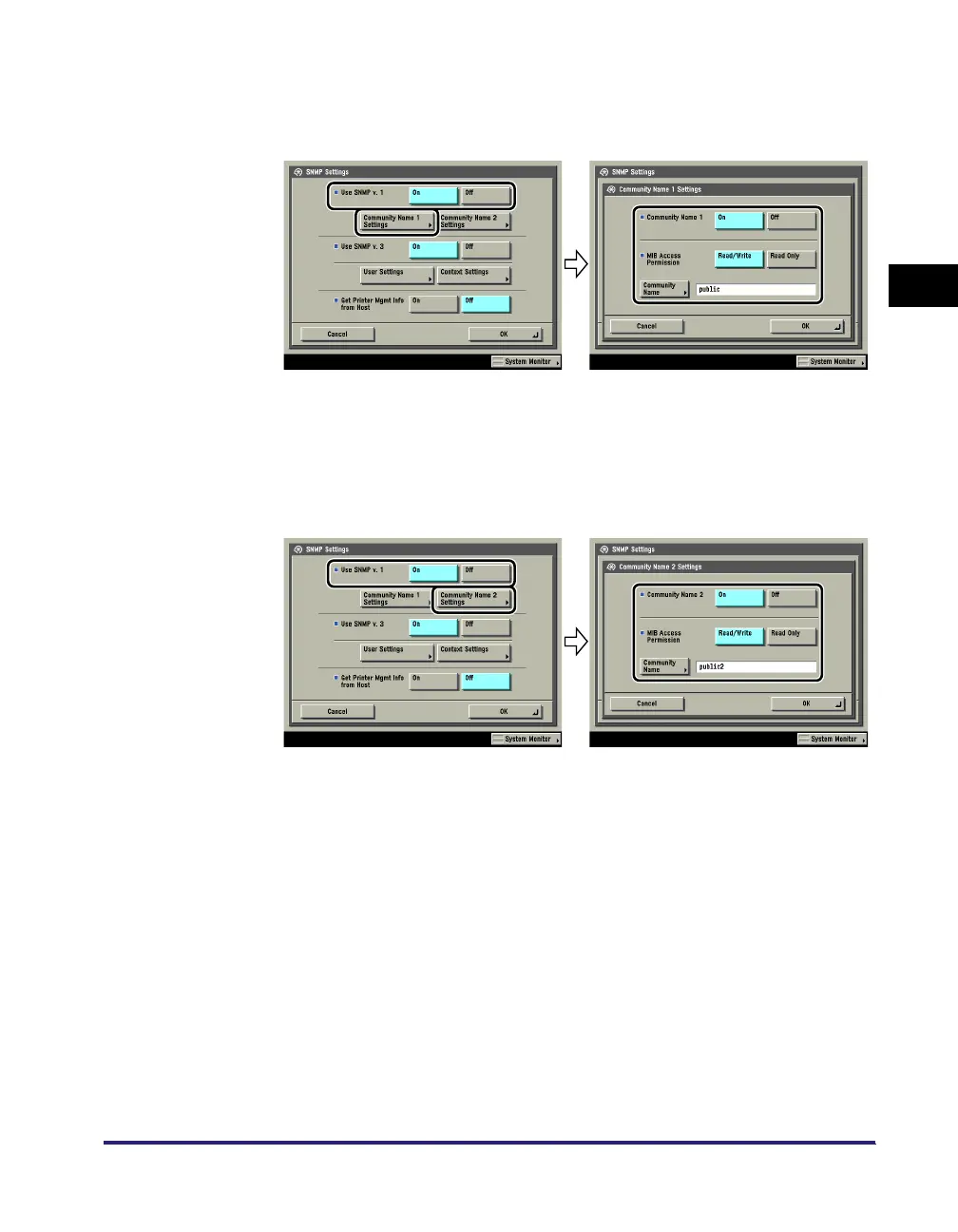
● If you want to specify a Community Name 1
❑
Press [Community Name 1 Settings] ➞ [On] ➞ specify the settings for <MIB
Access Permission> and the community name in [Community Name].
You can also change the community name in [Community Name] to a name
other than 'public'.
● If you want to specify a Community Name 2
❑
Press [Community Name 2 Settings] ➞ [On] ➞ specify the settings for <MIB
Access Permission> and the community name in [Community Name].
You can also change the community name in [Community Name] to a name
other than 'public2'.
2
Specify the settings for SNMP v. 3.
[On] for <Use SNMP v. 3>: Specify the user and context according to the
following procedures.















 To Next Page