Communication Environment Setup
2-14
2
Settings Common to the Network Protocols
NOTE
An SNMP v. 3 user with the following settings is registered by default. Delete or
change these settings as necessary.
- User: initial
- MIB Access Permission: Read/Write
- Security Settings: Auth Yes/Encrypt Yes
- Authent. Algorithm: MD5
- Authent. Password: initial
- Encryption Password: initial
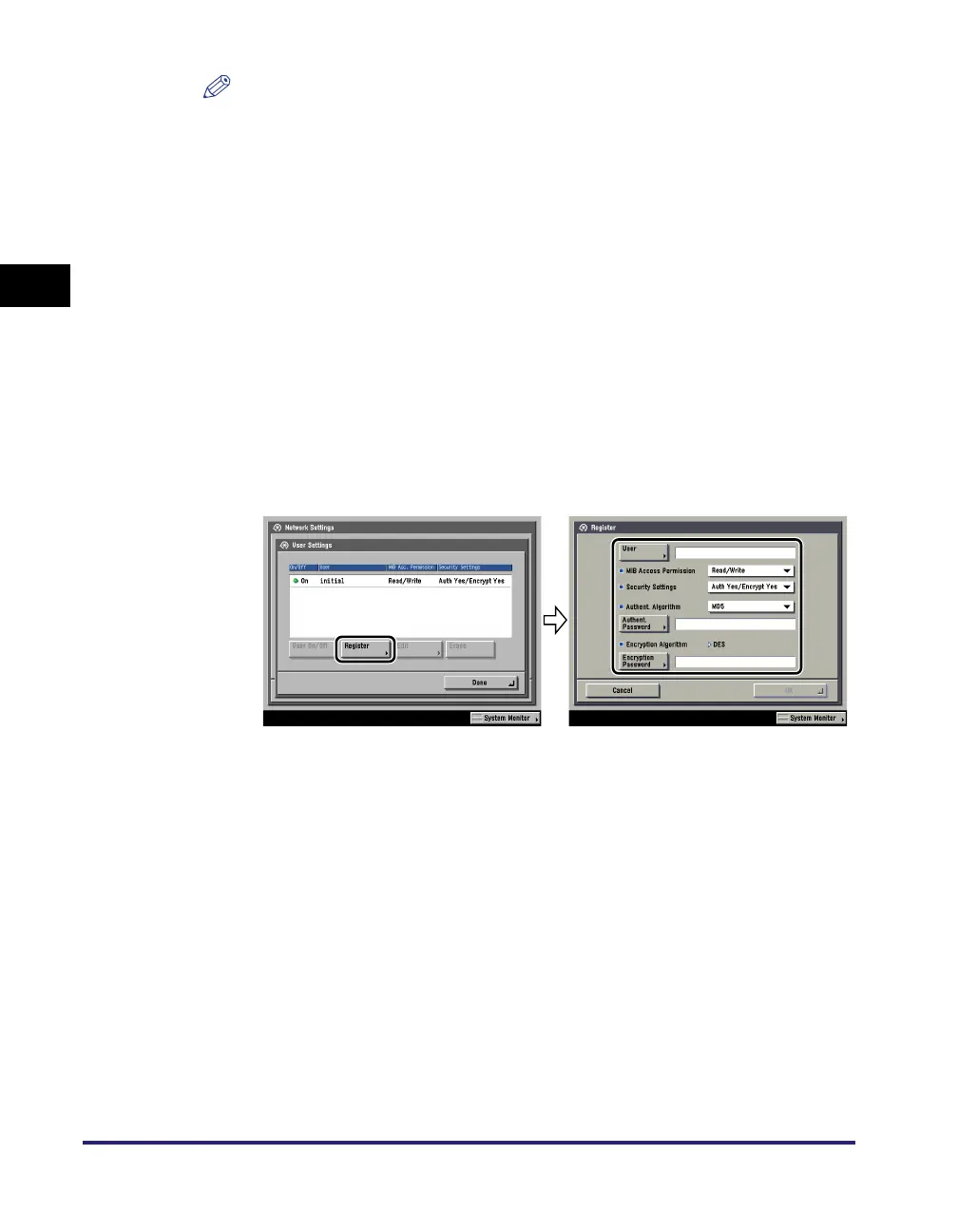
● If you want to add an SNMP v. 3 user:
❑
Press [User Settings] ➞ [Register] ➞ specify the user name, MIB permissions,
and security settings.
If you select [Auth Yes/Encrypt Yes] from the Security Settings drop-down list,
select the authentication algorithm ➞ enter the passwords for authentication
and encryption. If you select [Auth. Yes/Encrypt. No] from the Security
Settings drop-down list, select the authentication algorithm ➞ enter the
password for authentication.
● If you want to confirm or change the SNMP v. 3 user settings:
❑
Press [User Settings] to select the user whose settings you want to confirm or
change ➞ press [Details/Edit].
Confirm the displayed information ➞ change the settings if necessary.
● If you want to erase an SNMP v. 3 user:
❑
Press [User Settings] to select the user whose settings you want to erase ➞
press [Erase].
● If you want to change the status of an SNMP v. 3 user:
❑
Press [User Settings] ➞ select the user whose status you want to change ➞
press [User On/Off].














 To Next Page