Chapter 1
1-20
b. Ink mists
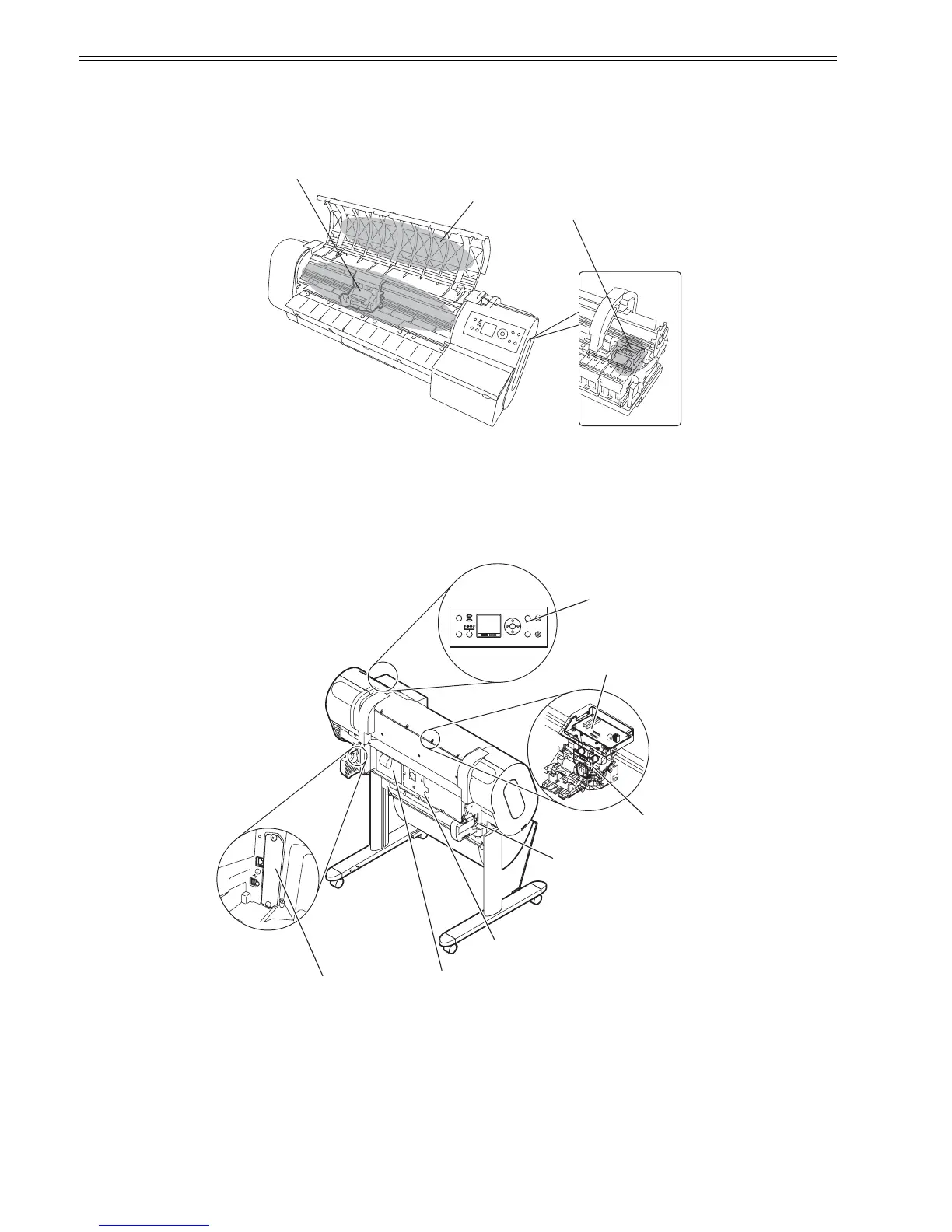
As the printhead jets an ink against paper to print, traces of ink mists floating during printing or springing back from the paper are produced in the print station.
Such ink mists are collected by mist collection air flow into the printer. The uncollected portion of ink mists could smear the platen unit, carriage unit, exterior
surfaces and the purge unit, and their surrounding areas.
Such smears could in turn spoil the paper or your hands or clothes during servicing. Wipe such smears off with a soft cloth moistened with water and wrung
carefully.
F-1-25
1.7.1.3 Live parts of the printer
0013-5155
Any electrical portion of the printer becomes live when AC power is supplied to it.
The main controller, power supply and interface connector are found on the left rear side of the printer, with the operation panel being located on the upper right
cover.
In checking printer operations with the cover open during servicing, take maximum care to avoid electrical shocks and not to cause damage to electrical components.
F-1-26
Top cover
Purge unit
Platen/carriage unit
Main controller
Power supply
Power connector
Carriage PCB
Carriage Relay PCB
Operation panel
Interface connector














 To Next Page