•
Object Size
You can confirm the object size.
Note
•
When several objects are selected, you cannot display Object Size.
Laying out a Multiple-File Document on One Page
Laying out a Multiple-File Document on One Page
You can lay out and print a multiple-file document on one page.
1
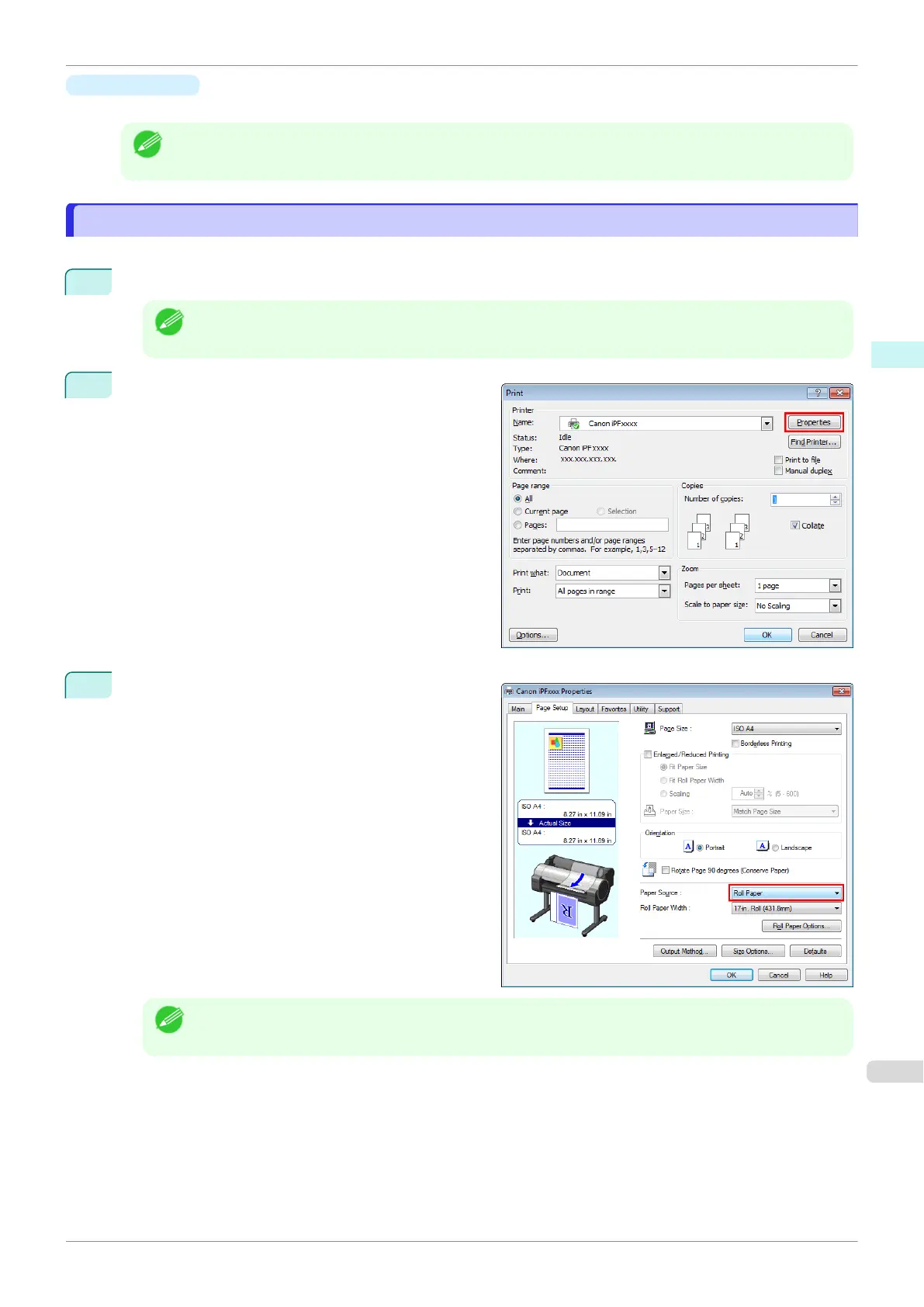
From the application software's File menu, select the printer setup menu to open the Print dialog box.
Note
•
Normally, select Print from the File menu.
2
Click Properties to open the Properties dialog box.
3
In the Page Setup sheet, select Paper Source.
Note
•
Your printer is depicted in the lower-left area of this screen.
iPF840
Laying out a Multiple-File Document on One Page
User's Guide
Windows Software Free Layout
207















 To Next Page