ColorSync
ColorSync
1
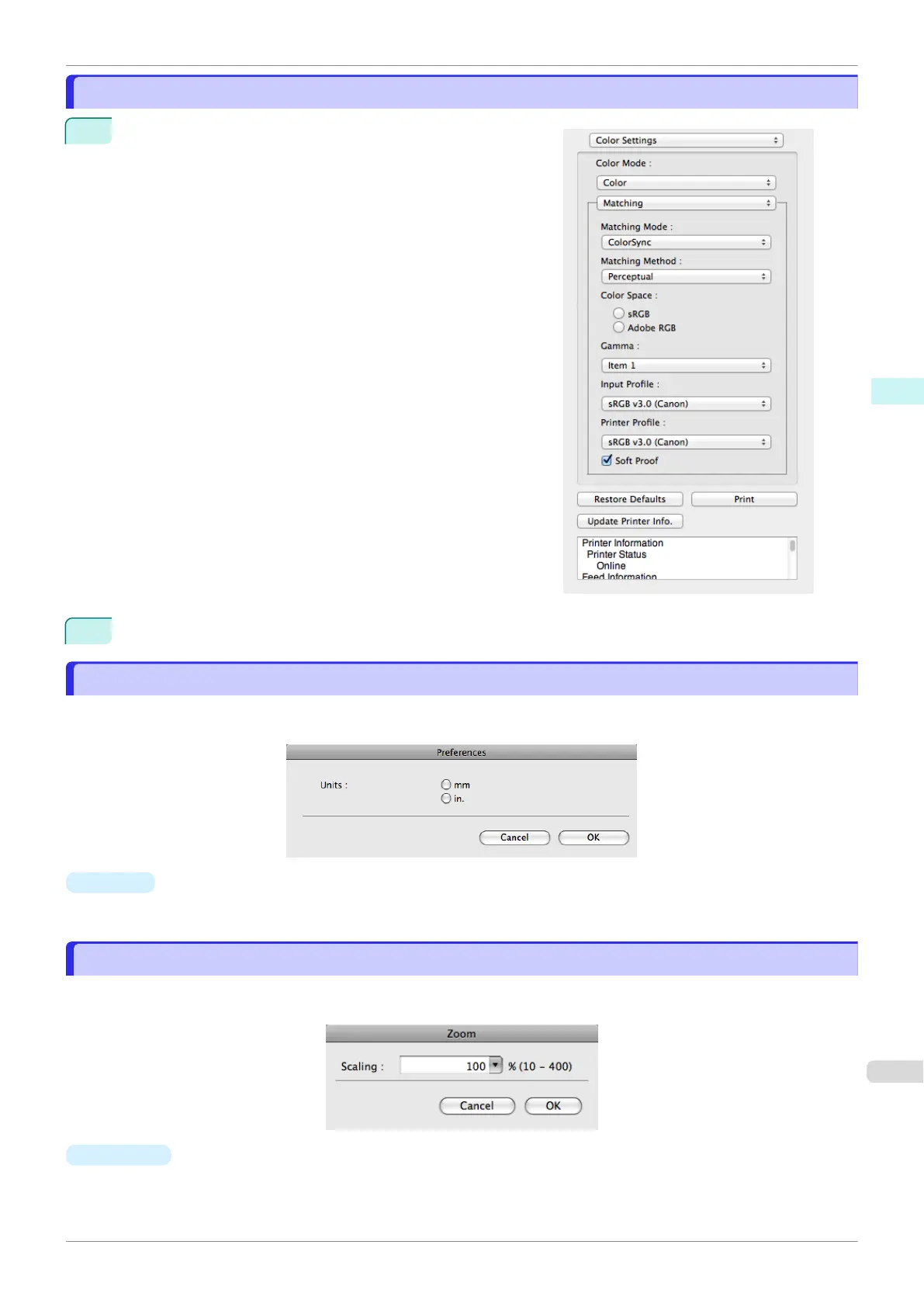
Check that ColorSync is selected in Matching Mode.
2
To apply ColorSync to previews, check the Soft Proof check box.
Preferences Dialog Box
Preferences Dialog Box
This dialog box appears when you select Preferences from the imagePROGRAF Advanced Preview menu. You
can set the preferences for Preview.
•
Units
Set the unit for paper length, margins, and so on.
Zoom Dialog Box
Zoom Dialog Box
This dialog box appears when you select Zoom from the View menu. You can enlarge or reduce the screen dis-
play.
•
Scaling
Set the magnification for enlargement or reduction of the screen display.
iPF840
ColorSync
User's Guide
Mac OS Software Preview
301















 To Next Page