Troubleshooting When Paper Jams are not Found
Troubleshooting When Paper Jams are not Found
If you cannot find a paper jam, search for the paper as follows.
1
Turn the printer off. (See "Turning the Printer On and Off.") ➔P.17
2
Remove the Wheeled Output Stacker from the printer. (See "Using the Wheeled Output Stacker.") ➔P.375
3
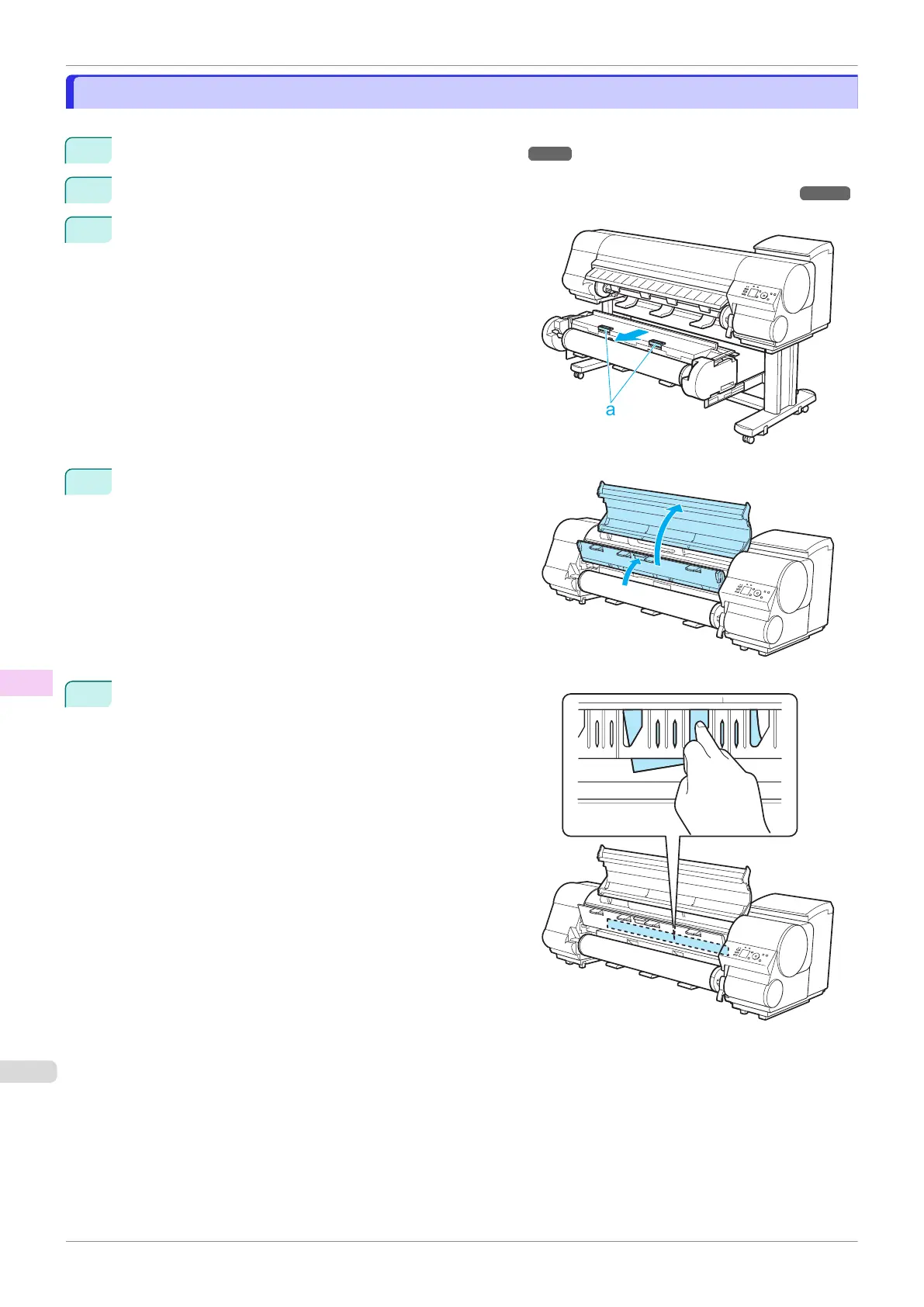
Holding the Roll Unit Lever (a), pull out the Roll Unit.
4
Open the Top Cover and lift the Ejection Guide.
5
Check for paper in the lower part of the printer. Remove
any jammed paper here by pushing it to the floor with your
fingers.
Troubleshooting When Paper Jams are not Found
iPF840
User's Guide
Troubleshooting Problems Regarding Paper
610















 To Next Page