Printheads
Printheads
Printhead ........................................................................................................................................................ 577
Checking for Nozzle Clogging ......................................................................................................................... 577
Cleaning the Printhead ................................................................................................................................... 578
Replacing the Printhead ................................................................................................................................. 579
Printhead
Printhead
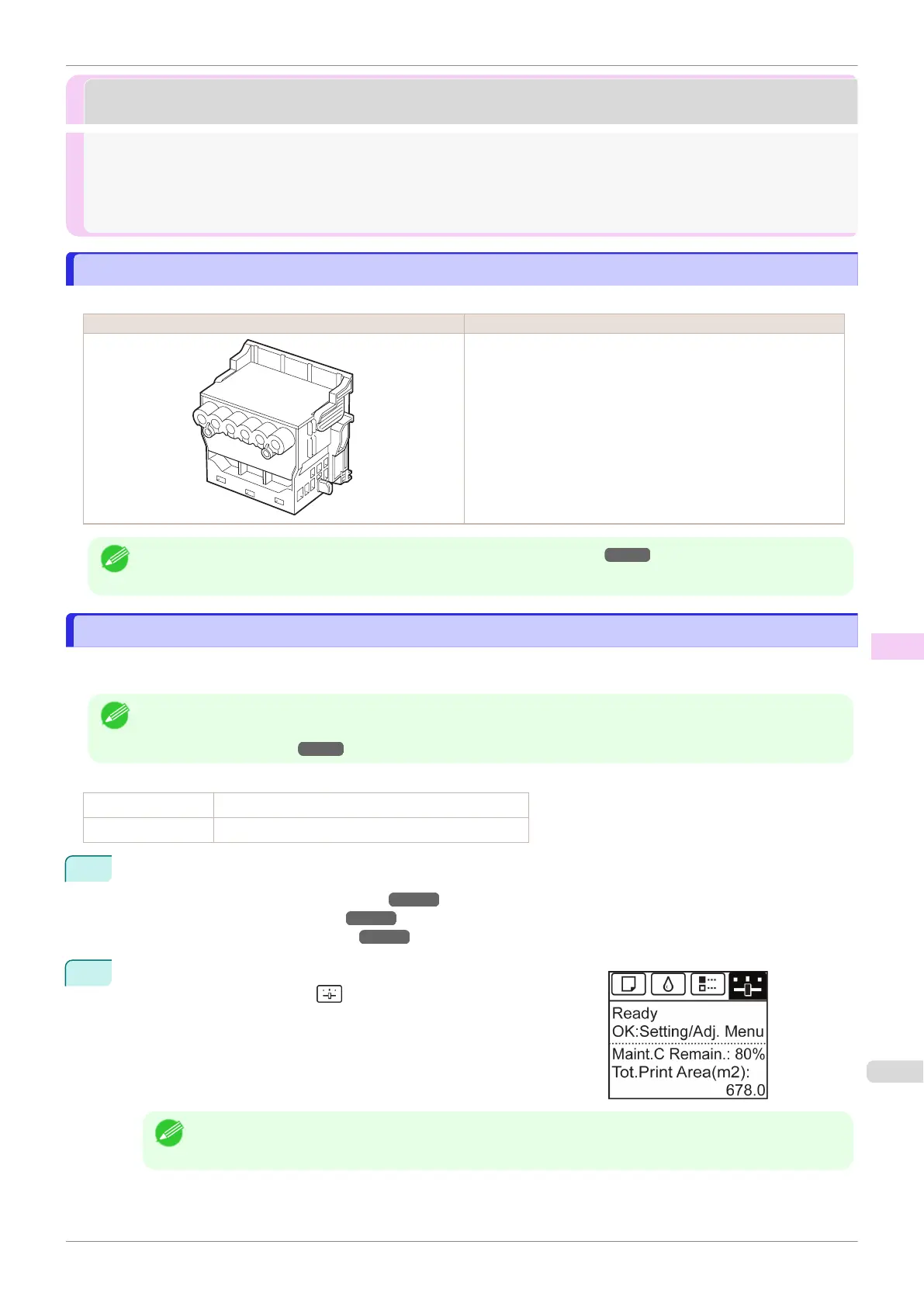
When purchasing, check the Model number.
Shape Model number
PF-04
Note
•
For instructions on replacing the Printhead, see "Replacing the Printhead." ➔ P.579
Checking for Nozzle Clogging
Checking for Nozzle Clogging
If printing is faint or affected by banding in different colors, make sure the Printhead nozzles are clear by printing a
test pattern to check the nozzles.
Note
•
By default, nozzles are checked at fixed intervals.
Configure the settings on the Control Panel menu in Nozzle Check.
(See "Menu Settings.") ➔P.445
Paper to Prepare
When Using Rolls An unused roll at least 254.0 mm (10.00 in) wide
When Using Sheets One sheet of unused paper of at least A4/Letter size
1
Load paper.
•
Attaching the Roll Holder to Rolls ➔ P.342
•
Loading Rolls in the Printer ➔ P.345
•
Loading Sheets in the Printer ➔ P.369
2
On the Tab Selection screen of the Control Panel, press ◀ or ▶ to
select the Settings/Adj. tab ( ).
Note
•
If the Tab Selection screen is not displayed, press the Menu button.
iPF840
Printhead
User's Guide
Maintenance and Consumables Printheads
577





 To Next Page