Handling rolls
Handling rolls
Attaching the Roll Holder to Rolls ................................................................................................................... 342
Loading Rolls in the Printer ............................................................................................................................. 345
Changing the Type of Paper ........................................................................................................................... 350
Specifying the Paper Length ........................................................................................................................... 352
Removing the Roll from the Printer ................................................................................................................. 352
Removing the Roll Holder from Rolls ...............................................................................................................356
➔ Clearing Jammed Roll Paper .................................................................................................................... 605
Feeding Roll Paper Manually ........................................................................................................................... 357
Keeping Track of the Amount of Roll Paper Left .............................................................................................. 358
Specifying the Ink Drying Time for Rolls .......................................................................................................... 358
Specifying the Cutting Method for Rolls .......................................................................................................... 360
Cutting the Leading Edge of Roll Paper Automatically .................................................................................... 366
Reducing Dust from Cutting Rolls ................................................................................................................... 367
Roll Holder Set ............................................................................................................................................... 368
Automatic Roll Switching ................................................................................................................................ 368
Attaching the Roll Holder to Rolls
Attaching the Roll Holder to Rolls
When printing on rolls, attach the Roll Holder to the roll.
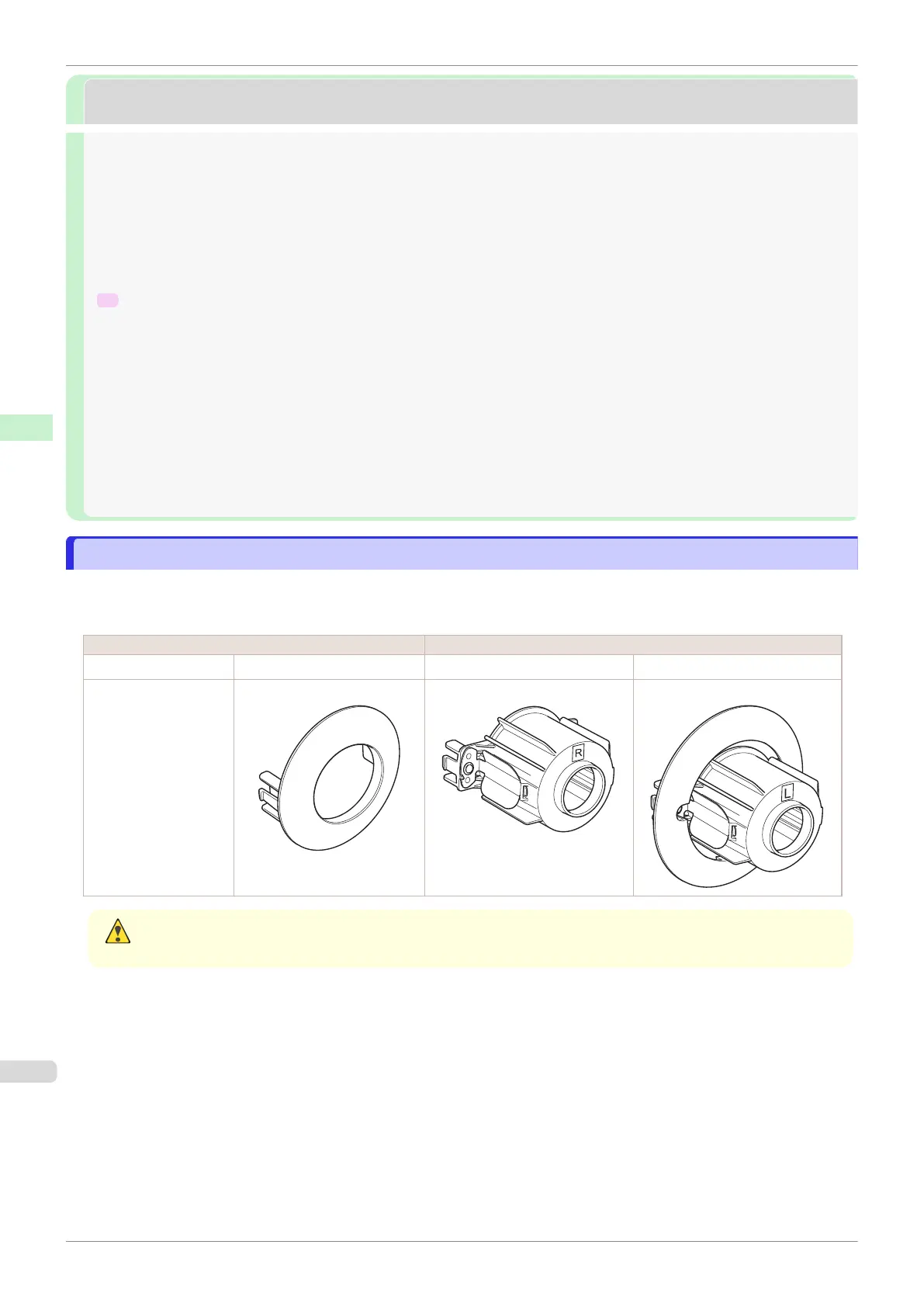
Rolls have a two- or three-inch paper core. Use the correct attachment for the paper core. The printer comes
equipped with the 2-Inch Paper Core Attachment installed.
Using the 2-Inch Paper Core Attachment Using the 3-Inch Paper Core Attachment
Roll Holder Side Holder Stopper Side Roll Holder Side Holder Stopper Side
No Attachment Needed 2-Inch Paper Core Attachment 3-Inch Paper Core Attachment #1 3-Inch Paper Core Attachment #2
Caution
•
Set the roll on a table or other flat surface so that it does not roll or fall. Rolls are heavy, and dropping a roll may
cause injury.
Attaching the Roll Holder to Rolls
iPF840
User's Guide
Handling and Use of Paper Handling rolls
342















 To Next Page