3
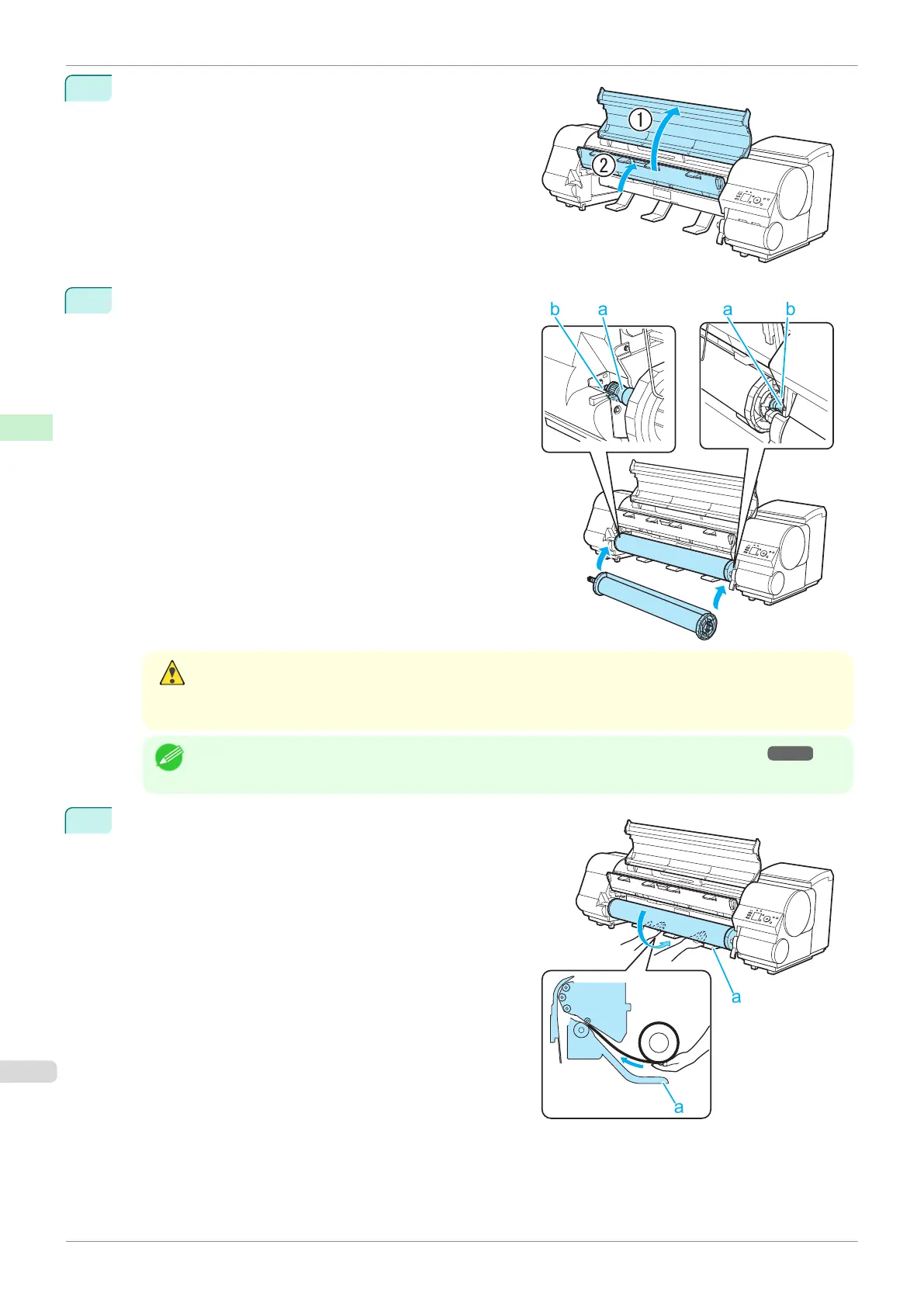
Open the Top Cover and lift the Ejection Guide.
4
Holding the Roll Holder so that the side with the white gear
faces the side of the Roll Holder Slot with a white gear,
load the Roll Holder shaft (a) into the grooves (b) on both
ends of the Roll Holder Slot.
Caution
•
Be careful not to drop the roll and hurt yourself when loading it.
•
Be careful not to pinch your fingers between the Roll Holder shaft (a) and the guide grooves (b) when
loading rolls.
Note
•
For instructions on attaching the Roll Holder to rolls, see "Attaching the Roll Holder to Rolls." ➔ P.342
5
Using both hands, pull out the roll evenly on both ends and
insert it in the Paper Feed Slot (a). Advance the roll until
the buzzer sounds.
Loading Rolls in the Printer
iPF840
User's Guide
Handling and Use of Paper Handling rolls
346















 To Next Page