2
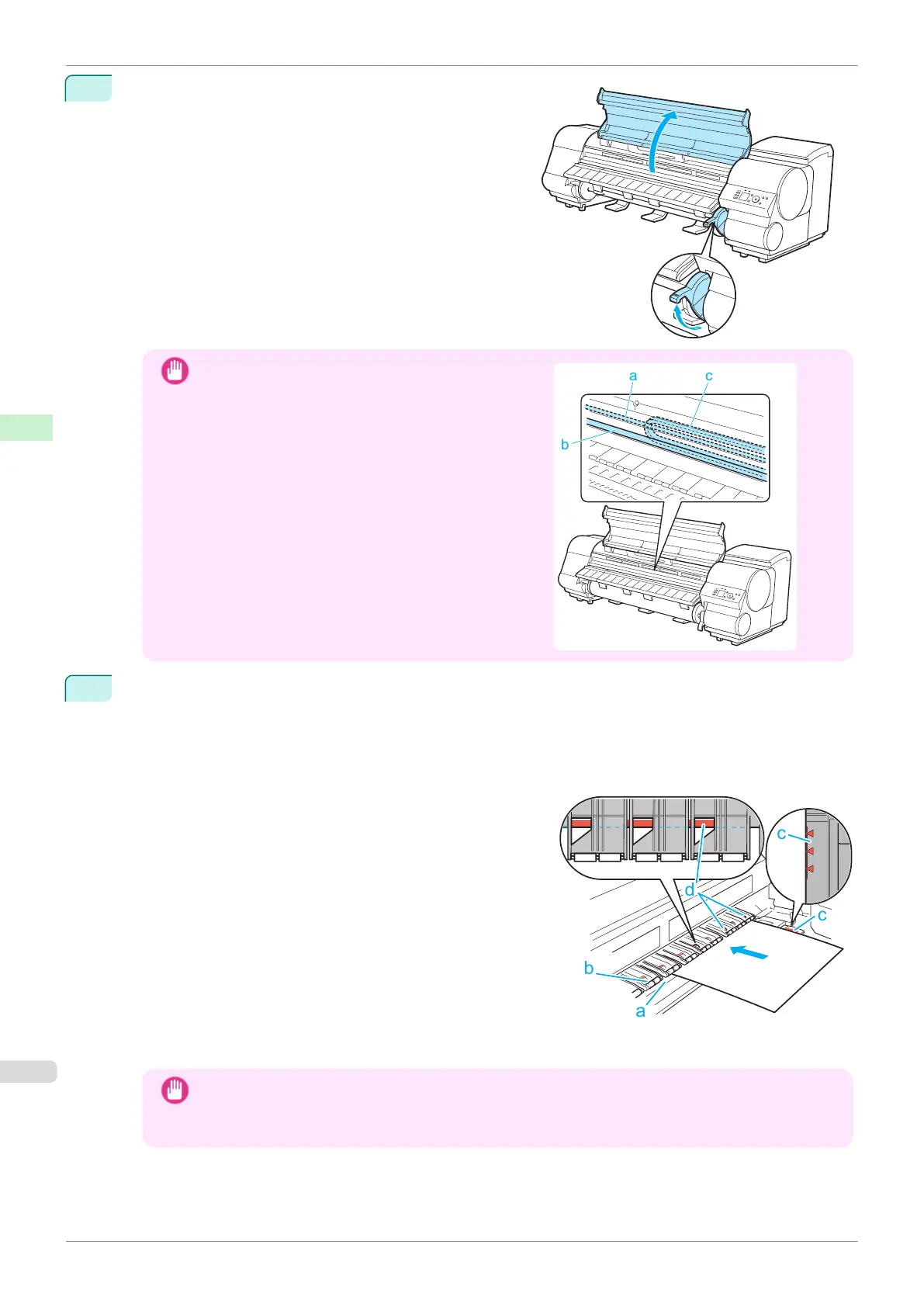
Lift the Release Lever and open the Top Cover.
Important
•
Do not touch the Linear Scale (a), Carriage Shaft (b),
or Ink Tube Stabilizer (c). Touching these parts may
damage them.
3
With a sheet lengthwise and printing-side up, insert it between the Platen (a) and the Paper Retainer (b).
Align the edges of the sheet as follows.
1.
Align the sheet with the Paper Alignment Line (c) at right.
2.
Align the inserted edge of the sheet with the leading edge of the Paper Alignment Line (d), as shown.
When inserted, sheets are automatically held by suction against the Platen.
Important
•
Load a sheet so that it is parallel to the Paper Alignment Line at right (c). Loading paper askew will
cause an error.
•
Warped paper may rub against the Printhead. Straighten paper if it is warped before loading it.
Loading Sheets in the Printer
iPF840
User's Guide
Handling and Use of Paper Handling sheets
370















 To Next Page