1
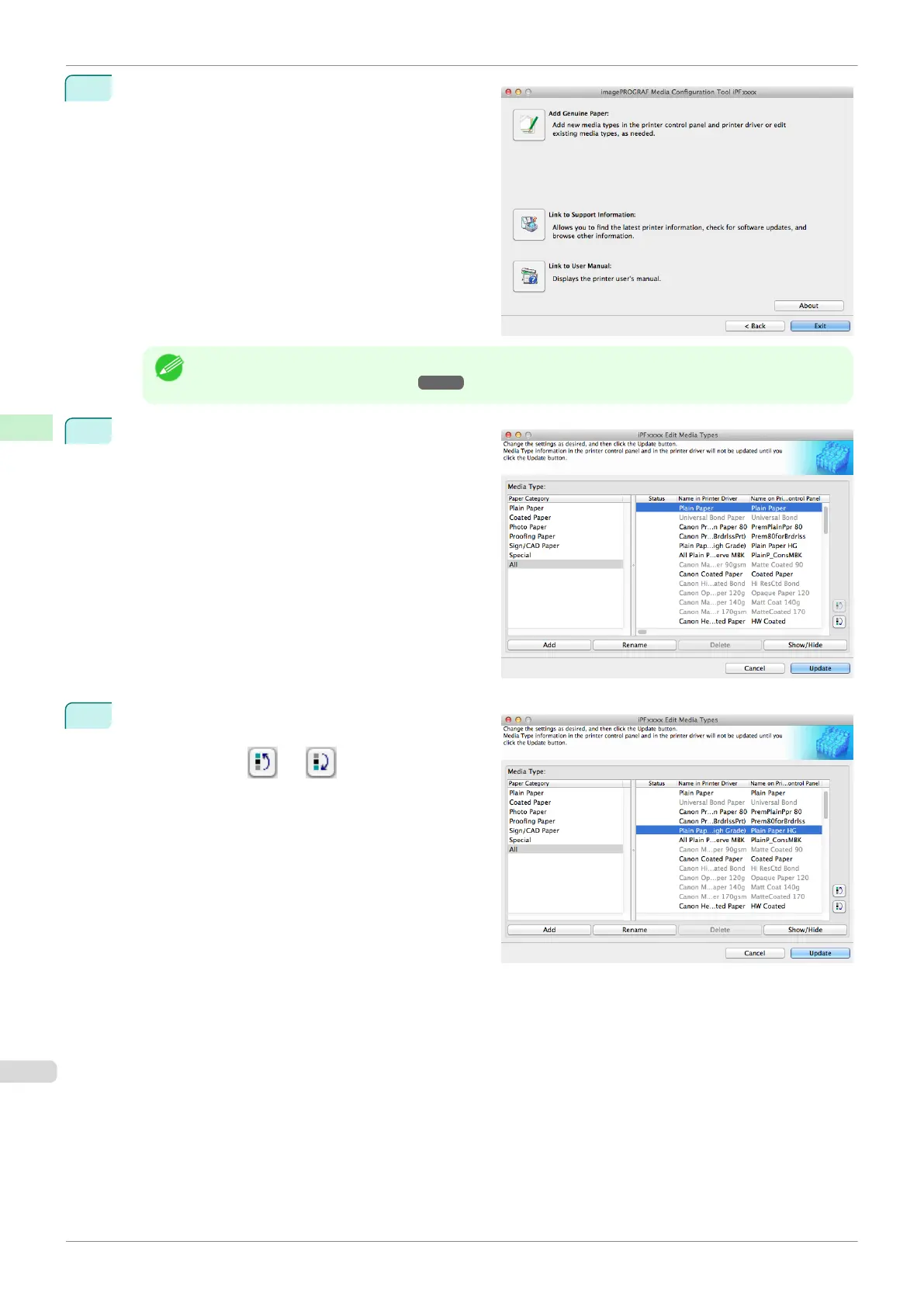
Click the Add Genuine Paper button in the Media
Configuration Tool main window.
Note
•
For more information on the procedure for opening the Media Configuration Tool main window, see "Media
Configuration Tool Main Window." ➔ P.406
2
The Edit Media Types dialog box is displayed.
3
Select the paper in the Media Type list for which to
change the display order, and then click the buttons
to move the item ( or ).
The selected item moves one line up or down for ev-
ery button click.
Changing the Display Order of Media Types
iPF840
User's Guide
Handling and Use of Paper Media Configuration Tool (Mac OS)
420















 To Next Page