Note
•
Printing from the following software also enables you to save print jobs on the printer's hard disk.
Windows
•
Free Layout
➔P.199
•
Color imageRUNNER Enlargement Copy ➔P.221
•
Preview ➔P.189
Mac OS
•
Free Layout ➔P.307
•
Preview ➔P.189
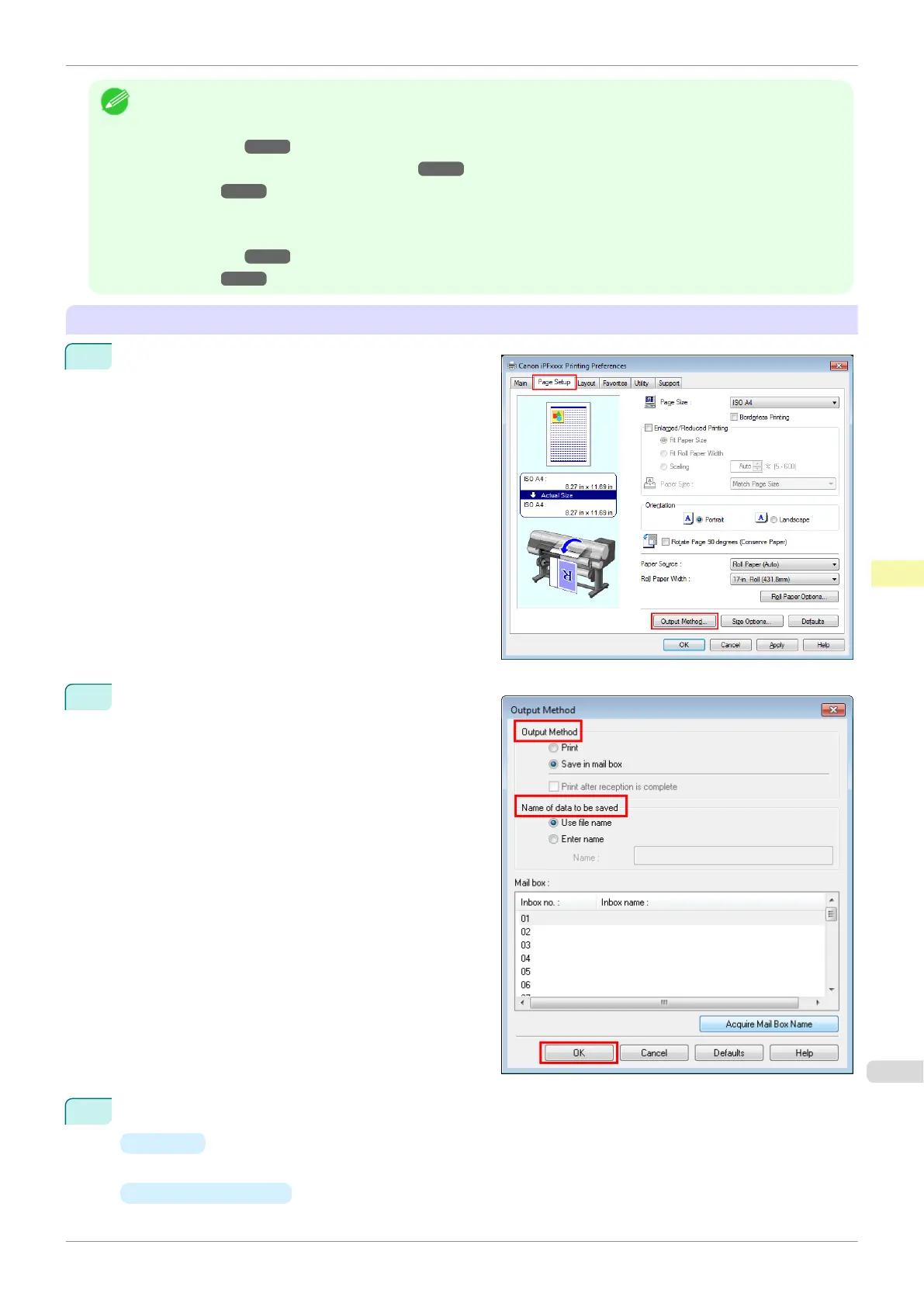
Configuring the Printer Driver in Windows
1
Access the Page Setup sheet.
2
Click Output Method to display the Output Method
dialog box.
3
Make your selection in Output Method.
•
Print
Save print jobs on the printer's hard disk after printing.
•
Save in mail box
Save print jobs on the printer's hard disk.
iPF840
Saving Print Jobs on the Printer Hard Disk
User's Guide
Print Job Management Basic Print Job Operations
515















 To Next Page