2
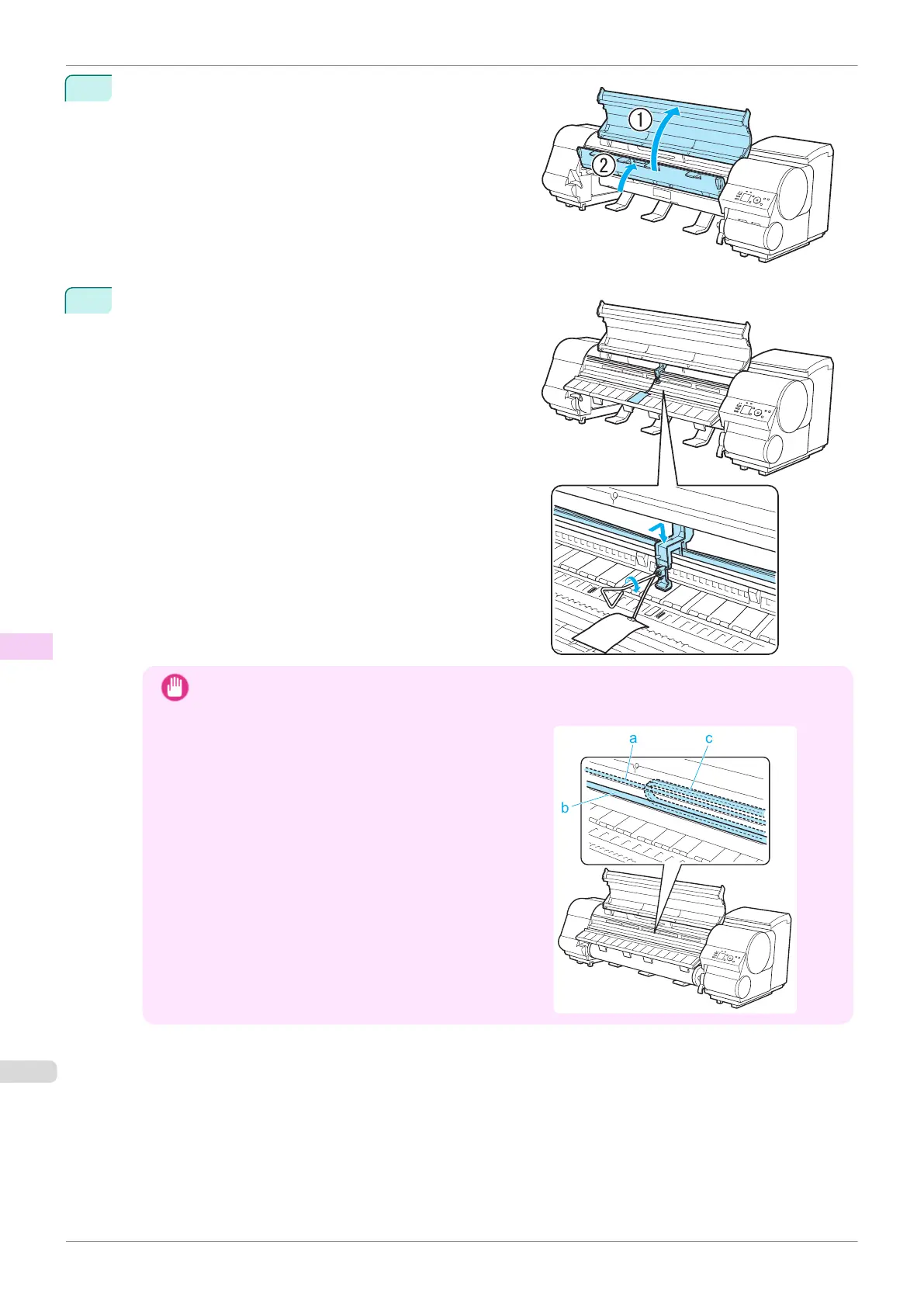
Open the Top Cover and lift the Ejection Guide.
3
Grasp the Belt, insert it between the Belt Stopper, and affix
the Belt Stopper with a hex screw at the position indicated.
Important
•
Here, the Belt Stopper is the one that was removed and stored after initial installation. Neglecting to
attach the Belt Stopper may damage the printer.
•
Do not touch the Linear Scale (a), Carriage Shaft (b),
or Ink Tube Stabilizer (c). Touching these parts may
damage them.
Preparing to Transfer the Printer
iPF840
User's Guide
Maintenance and Consumables Other Maintenance
598















 To Next Page