5
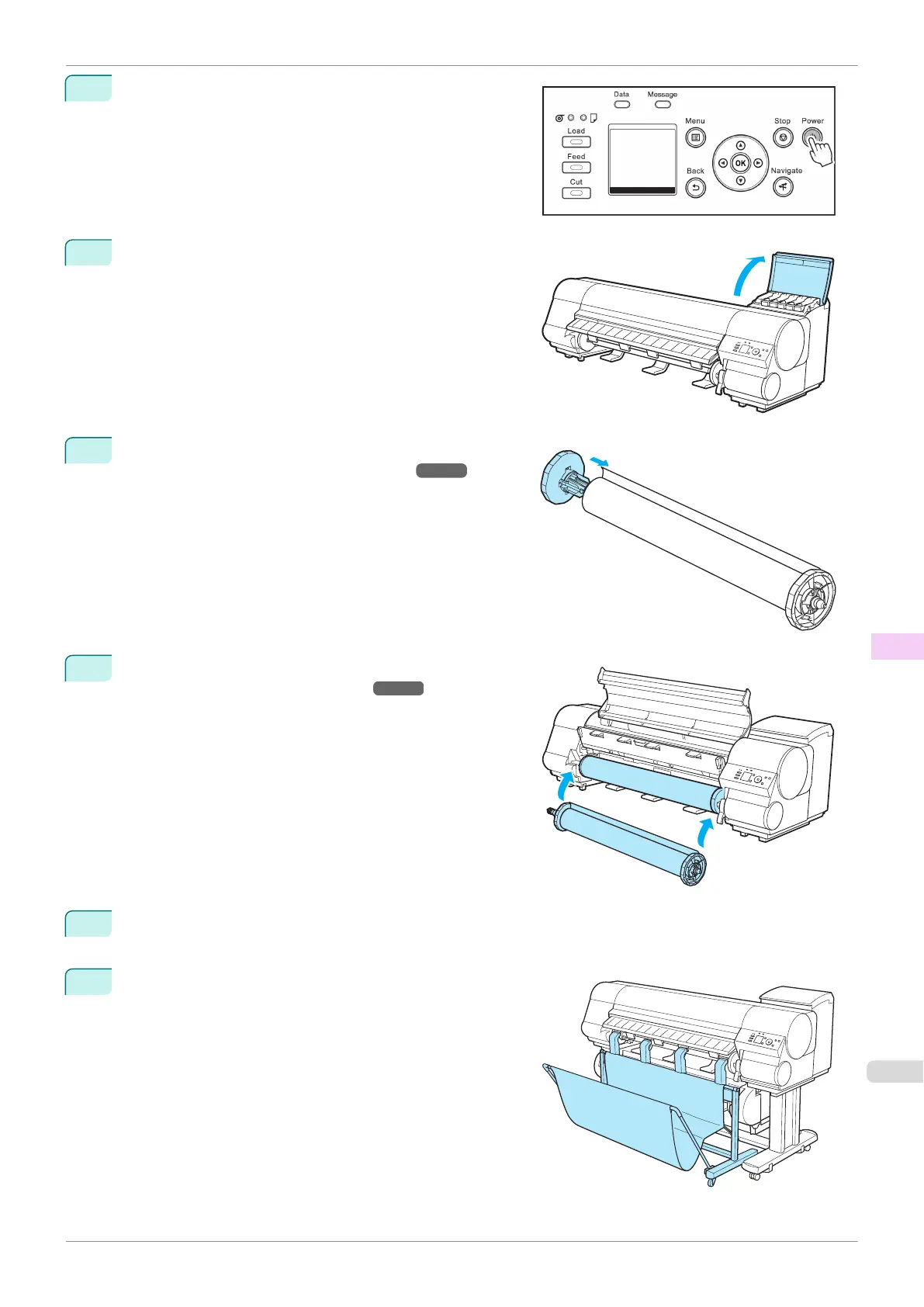
Press the power button to turn the printer on.
When the message "Has printer been reinstalled? (Do
not load ink tanks yet.)" is displayed, select Yes and
press the OK button.
6
Open the Ink Tank Cover and install the ink tanks.
7
Attach the Roll Holder to the Roll Media.
(See "Attaching the Roll Holder to Rolls.")
➔P.342
8
Load the Roll Media in the printer.
(See "Loading Rolls in the Printer.") ➔ P.345
9
Install the software.
Note that the driver installation procedure varies depending on the type of connection.
10
Attach the Wheeled Output Stacker to the printer by refer-
ring to the Wheeled Output Stacker Setup Guide.
iPF840
Reinstalling the Printer
User's Guide
Maintenance and Consumables Other Maintenance
601















 To Next Page