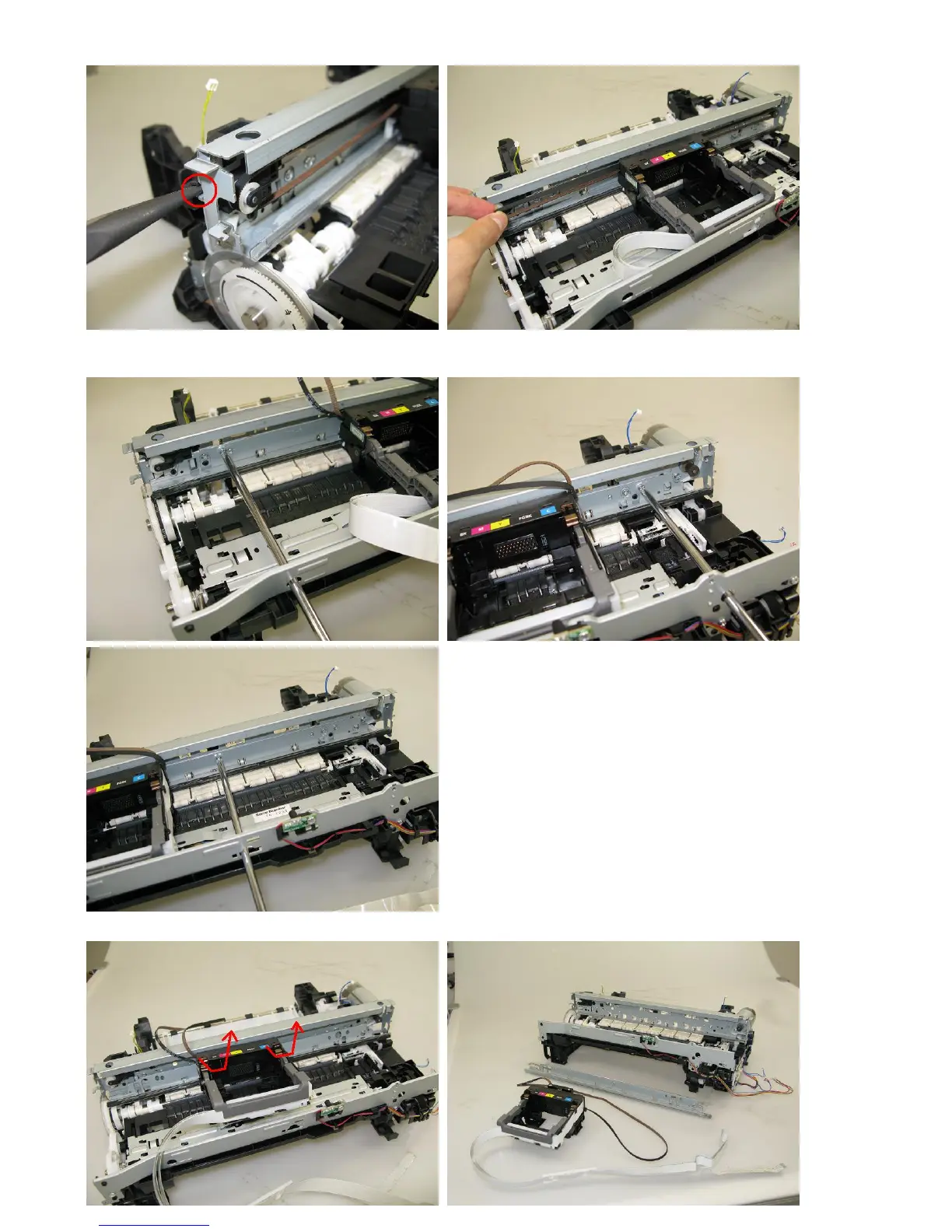
3) Using a longnose pliers, release the left end of the pulley holder spring, and remove the carriage belt.
Be cautious to keep the belt free from any grease.
4) Remove 3 screws that fix the carriage rail to the main chassis. Before removing the center screw, remove the carriage
cable holder from the front chassis. After the 3 screws are removed, slowly put down the carriage rail.
5) Remove the carriage unit. Be cautious that the grease will not attach to any parts.



 To Next Page