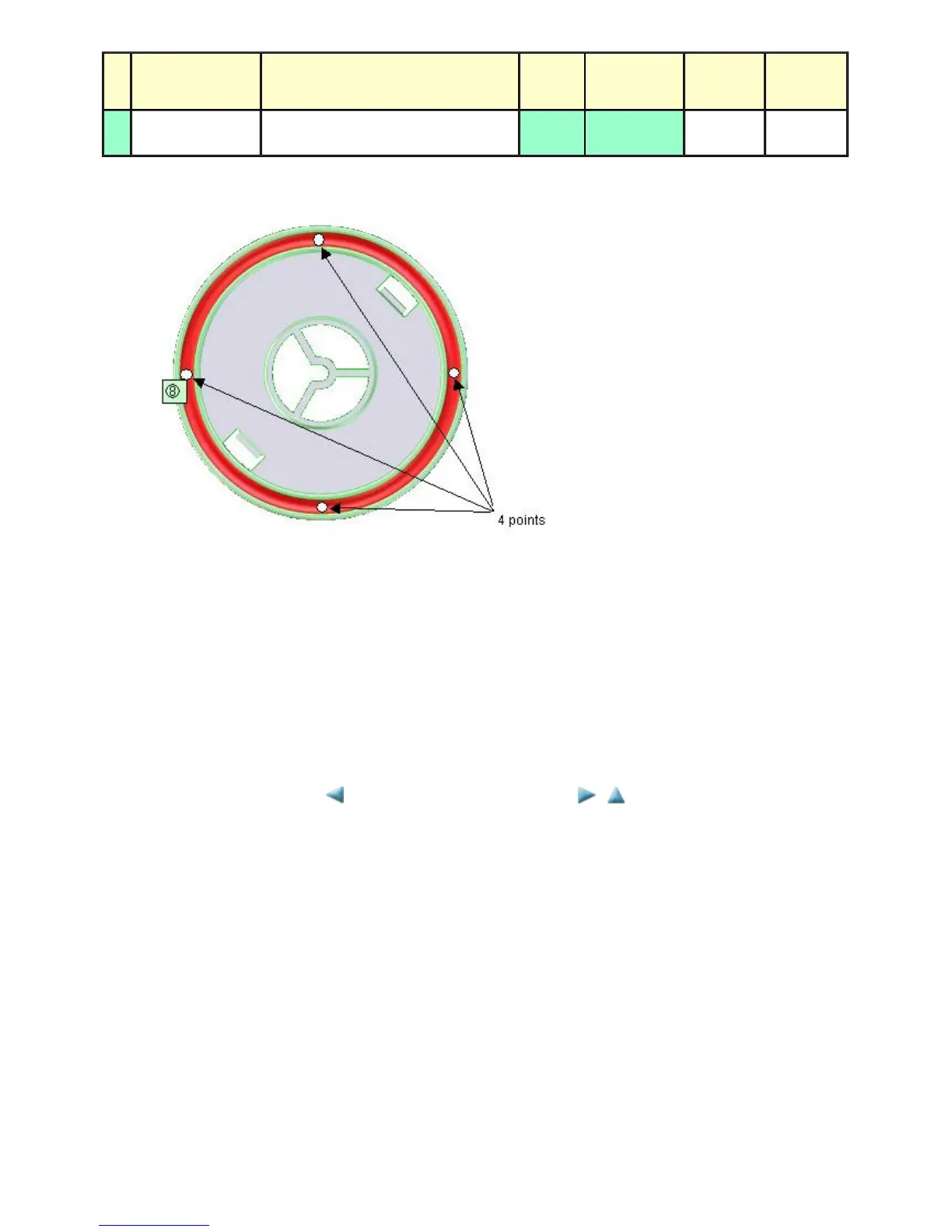
2) Operation panel, Easy-Scroll Wheel
1 drop = 9 to 18 mg
(4) Ink absorber counter setting
Before replacement of the logic board, check the ink absorber counter value, and register it to the replaced new logic board. (The value can be
set in 10% increments.)
In addition, according to the ink absorber counter value, replace the ink absorber (ink absorber kit). When the ink absorber is replaced, reset the
applicable ink absorber counter (to 0%).
- How to check the ink absorber counter value and the way to set the ink absorber counter:
See 3-3. Adjustment / Settings, (6) Service mode, "Ink absorber counter setting."
No Part name Where to apply grease / oil
Drawing
No.
Grease
Grease
amount
(mg)
Number of
drops x
locations
8
Easy-Scroll Wheel
base
Easy-Scroll Wheel sliding portions (8) Floil KG107A 9 to 18 ---
<3-3. Adjustment / Settings, (1) to (4)>



 To Next Page