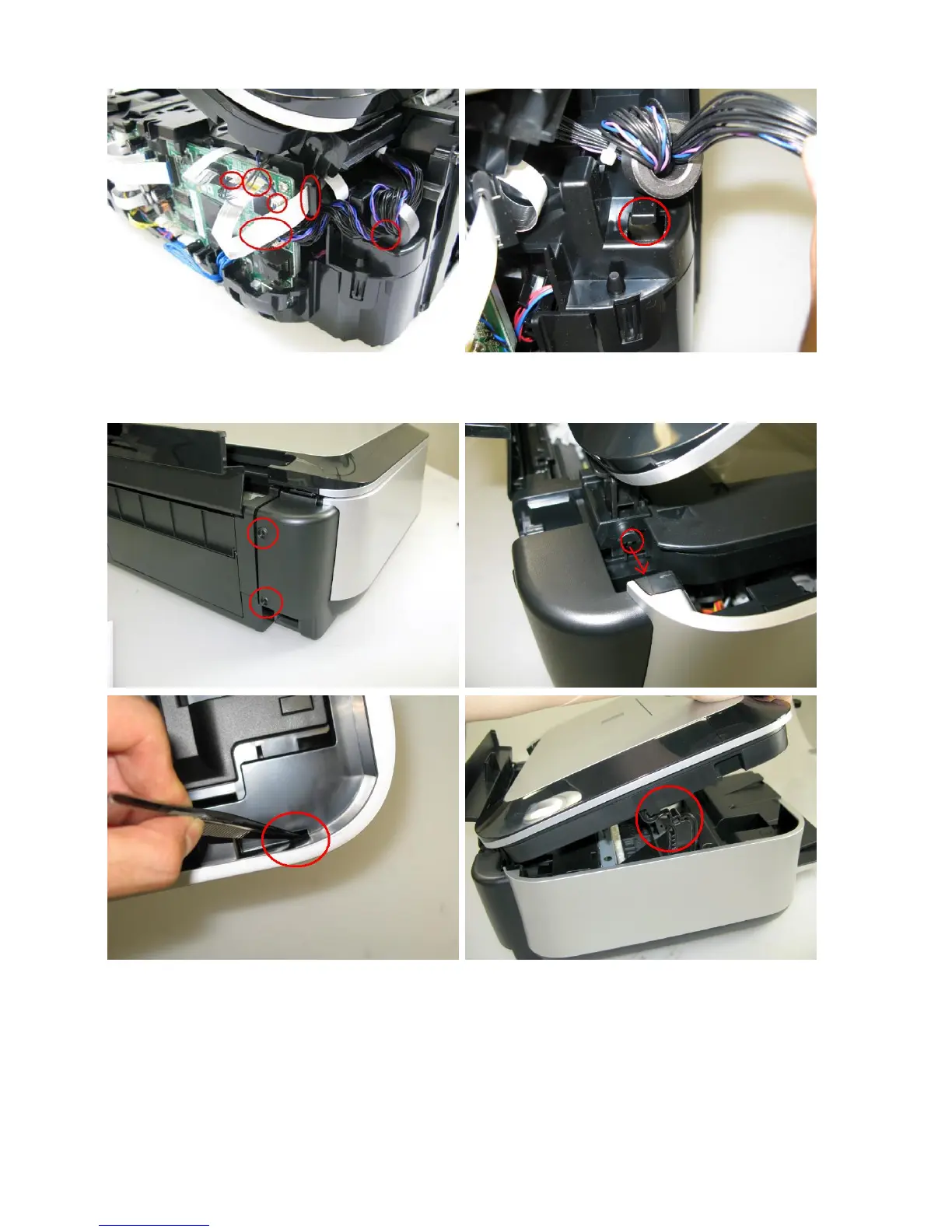
3) Remove the scanner cable, panel cable, FB encoder cable, and core.
<The core is fixed on the rib of the sub-case (back of the main case).>
4) Remove the side cover L, scanner unit, then document pressure plate unit (2 screws).
<While holding the scanner unit, remove the side cover L, then disengage the scanner unit from the scanner support
arm.>



 To Next Page