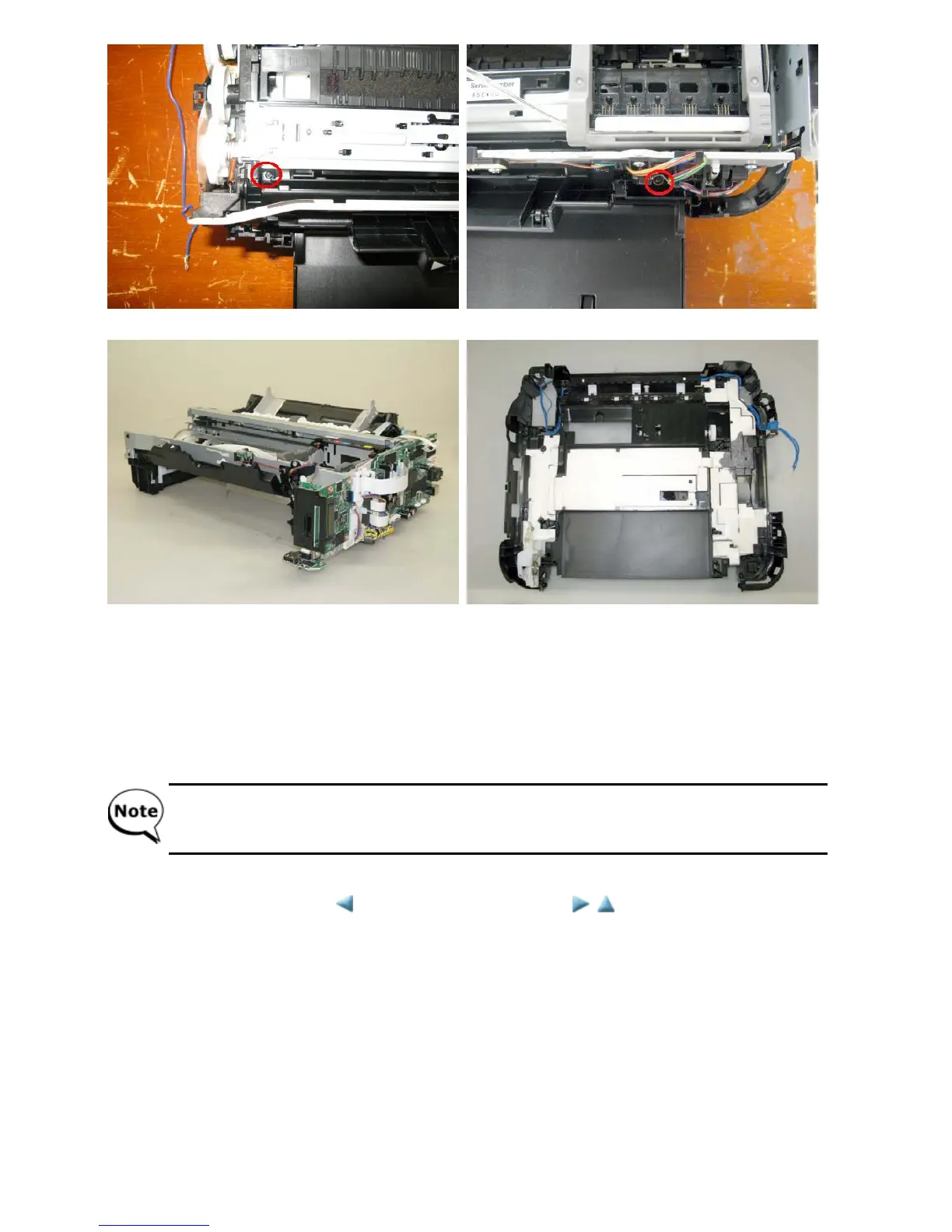
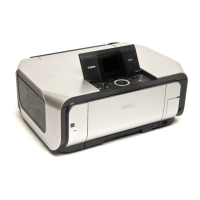
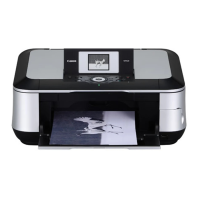
4) Slowly lift the print unit to separate it from the bottom case.
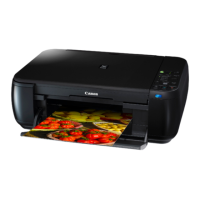
5) Remove the paper separation slope, since a portion of the ink absorber lies under it.
6) Replace the ink absorber.
Confirm that the replaced new ink absorber completely fits in place and is not lifted or dislocated.
7) While being cautious of the ink tube and each harness location, return the print unit to the bottom case, and fasten the
screws (removed in step 2).
8) Properly arrange and connect the harnesses, install the scanner unit, and attach the document pressure plate unit and
external housing.
After replacement of the ink absorber, reset the ink absorber counter (or set the appropriate counter value) in
the service mode.
For details, see 4-2. Service Mode.
<3-2. Part Replacement Procedures>



 To Next Page