EasyManua.ls Logo

Canon opture 10 - Table of Contents

Canon opture 10
331 pages
Print Icon
To Next Page IconTo Next Page
To Previous Page IconTo Previous Page
Loading...
-
6
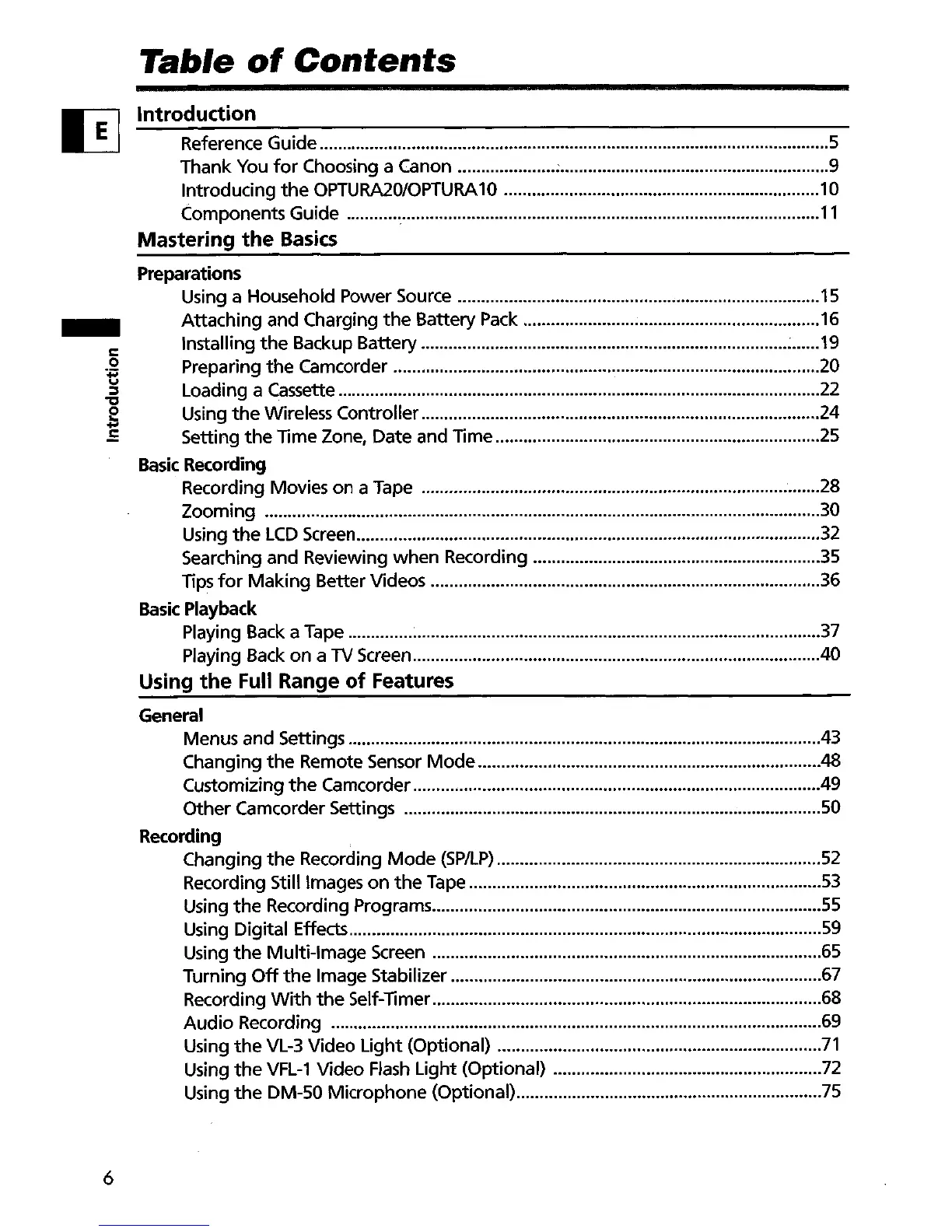
Table
of
Contents
Introduction
Reference Guide 5
Thank
You
for
Choosing a Canon ; 9
Introducing
the
OPTURA20/0PTURA10 10
Components Guide
11
Mastering
the
Basics
Preparations
Using a Household Power Source 15
Attaching
and
Charging
the
Battery Pack 16
Installing
the
Backup Battery : 19
Preparing
the
Camcorder 20
Loading a Cassette 22
Using
the
Wireless
Controller
24
Setting
the
Time Zone, Date and Time 25
Basic Recording
Recording Movies
on
a Tape 28
Zooming
30
Using
the
LCD
Screen 32
Searching and Reviewing
when
Recording .35
Tips
for
Making
Better
Videos .36
Basic
Playback
Playing Back a Tape 37
Playing Back
on
a
TV
Screen 40
Using
the
Full Range
of
Features
General
Menus and Settings 43
Changing
the
Remote Sensor
Mode
48
Customizing
the
Camcorder 49
Other
Camcorder Settings 50
Recording
Changing
the
Recording
Mode
(SP/LP)
52
Recording Still Images
on
the
Tape .53
Using
the
Recording Programs
55
Using Digital Effects
59
Using
the
Multi-Image
Screen 65
Turning
Off
the
Image Stabilizer 67
Recording
With
the
Self-Timer 68
Audio
Recording 69
Using
the
VL-3
Video
Light
(Optional)
71
Using
the
VFL-1
Video
Flash
Light
(Optional) 72
Using
the
OM-50
Microphone
(Optional) 75

Table of Contents