Using
the
Multi.lmage
Screen
The multi-image screen captures moving subjects in
4,
9
or
16
sequences
of
still images
with
the
Image Capture feature and displays
them
at
one time. Sound
will
be
recorded normally. This feature
can
be
used
in CAMERA and
PLAY
(VCR)
mode.
You
can
choose
the
transition speed
at
which
to
capture
the
subject
from
manual, fast
(every 4 frames), moderate (every 6 frames*)
or
slow (every 8 frames*).
*
In
Low Light mode: moderate (every 8 frames), slow (every
12
frames).
Selecting
the
Multi-Image
Screen
............................................................................................................................................................................
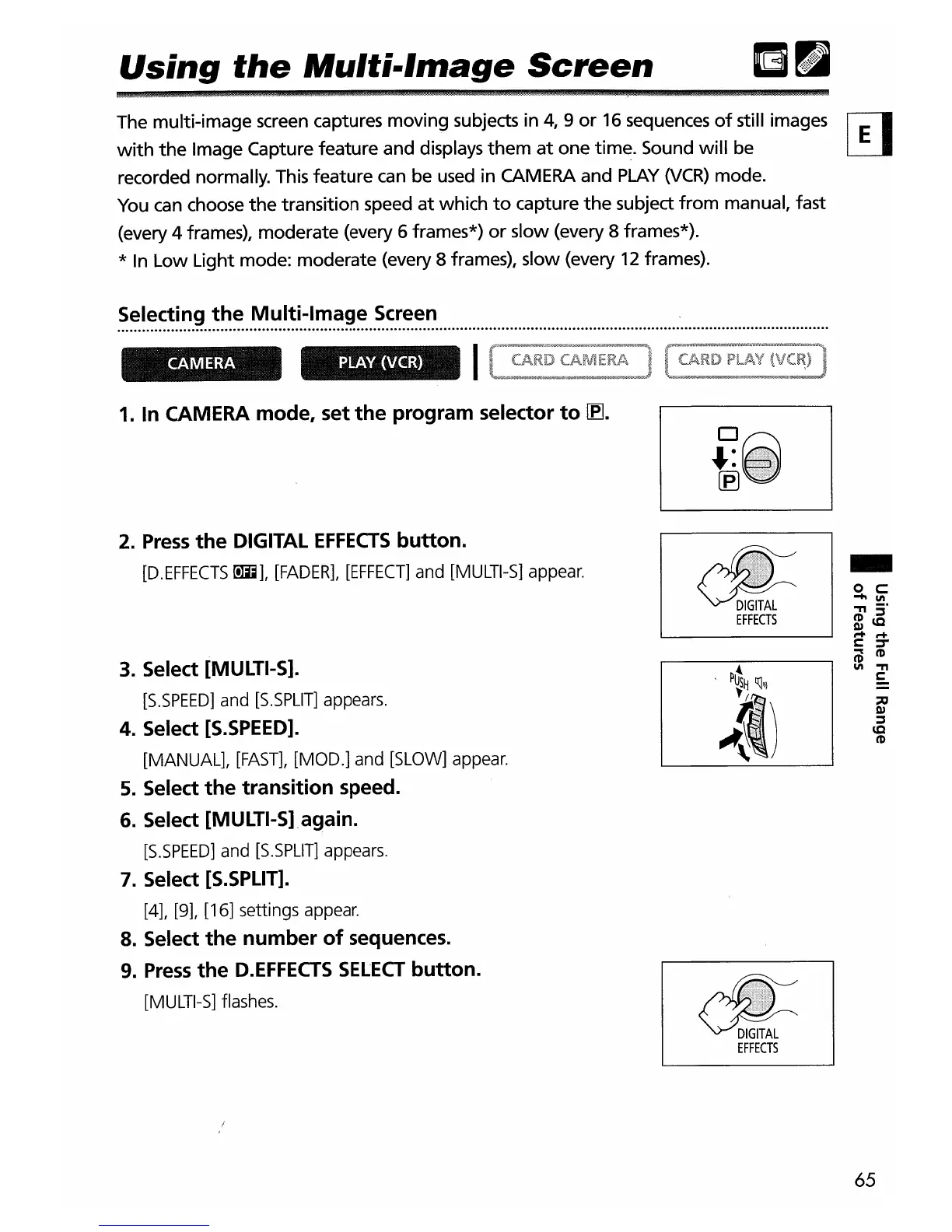
1.
In CAMERA mode, set
the
program selector
to~.
2.
Press
the
DIGITAL
EFFECTS
button.
[D.EFFECTS
00;;],
[FADER],
[EFFECT]
and
[MULTI-S]
appear.
3.
Select [MULTI-S].
[S.SPEED]
and
[S.SPLlT]
appears.
4.
Select
[S.SPEED].
[MANUAL],
[FAST],
[MOD.]
and
[SLOW]
appear.
5.
Select
the
transition
speed.
6.
Select [MULTI-Slagain.
[S.SPEED]
and
[S.SPLlT]
appears.
7.
Select
[S.SPLIT].
[4],
[9],
[16] settings
appear.
8.
Select
the
number
of
sequences.
9.
Press
the
D.EFFECTS
SELECT
button.
[MULTI-S]
flashes.
~
EFFECTS
d!=
EFFECTS
-
65


 To Next Page