EasyManua.ls Logo

Canon opture 10 - Page 64

Canon opture 10
331 pages
Print Icon
To Next Page IconTo Next Page
To Previous Page IconTo Previous Page
Loading...
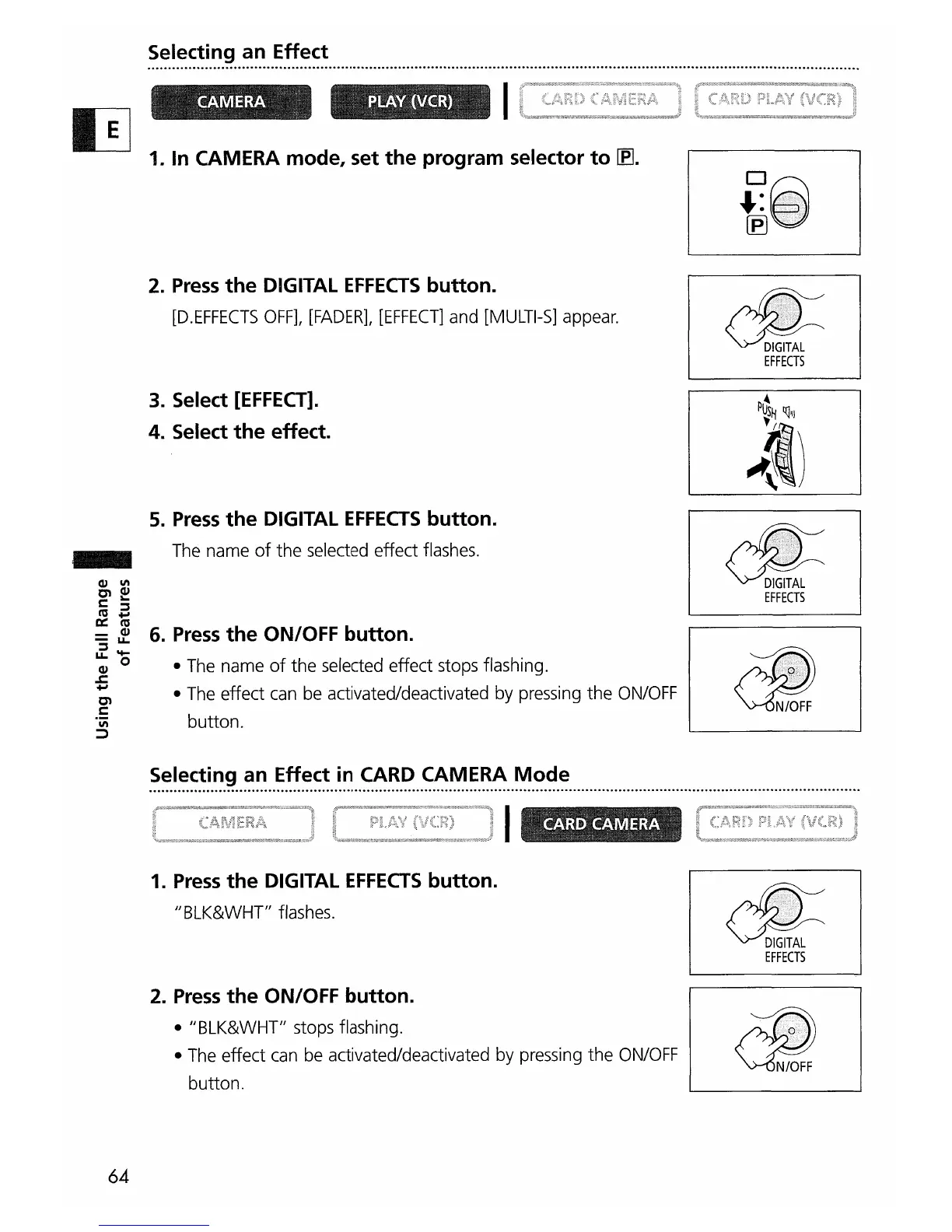
Selecting an Effect
.............................................................................................................................................................................
-
1. In CAMERA mode, set
the
program selector
to
lEJ.
2.
Press
the
DIGITAL
EFFECTS
button.
[D.EFFECTS
OFF],
[FADER],
[EFFECT]
and
[MULTI-S]
appear.
3. Select
[EFFECT].
4. Select
the
effect.
5.
Press
the
DIGITAL
EFFECTS
button.
The
name
of
the
selected
effect
flashes.
6.
Press
the
ON/OFF button.
•
The
name
of
the
selected
effect
stops
flashing.
•
The
effect
can
be
activated/deactivated
by
pressing
the
ON/OFF
button.
~
EFFECTS
~
EFFECTS
.
~~~:~~~.~.~
..
~~
..
~~:~~
..
~~
..
~.~.~.~
..
~.~~.~.~.~
..
~.~.~.~
.
64
1.
Press
the
DIGITAL
EFFECTS
button.
JJ
BLK&WHT"
flashes.
2.
Press
the
ON/OFF button.
• "BLK&WHT"
stops
flashing.
•
The
effect
can
be
activated/deactivated
by
pressing
the
ON/OFF
button.
d!=
EFFECTS

Table of Contents