~g;t1AiI~
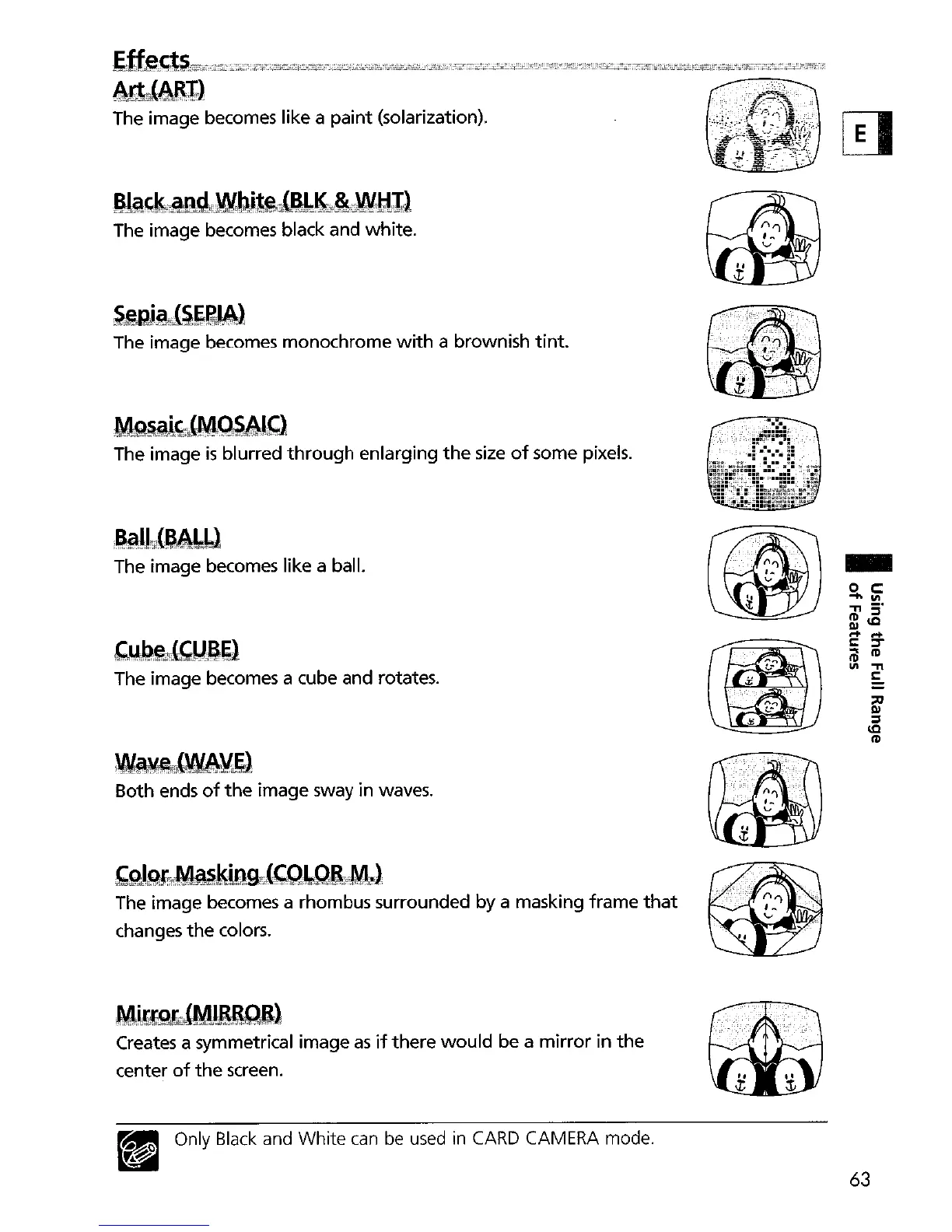
The image becomes like a
paint
(solarization),
Bl~'~r9,llg4lWbj~i1{e1~10~Wl;lI,}
The image becomes black and white,
~@Rj~"I~~W:~l
The image becomes monochrome
with
a brownish
tint.
Mg§~~,Q)4~~4lf;}
The image
is
blurred
through
enlarging
the
size
of
some pixels.
~@jJ,»"~~bl
The image becomes like a ball.
~~lU~~}
The image becomes a cube and rotates.
~TLWA\L~l
Both ends
of
the
image sway in waves.
'pJQf:;JMW,kiQg.il{q;)L.Q&tM.~
The image becomes a rhombus surrounded by a masking
frame
that
changes
the
colors.
Mi!~bJMliBQB:)
Creates a symmetrical image
as
if
there
would
be a
mirror
in
the
center
of
the
screen.
~
Only Black and White
can
be used
in
CARD
CAMERA mode.
~
~
'1
~'
...
,x
•
...
,
........•.
'
••.....•...•
,'
•....
,
.•..
:.,
•.
'
,··
•...
·.,:
·
..
,.'.·
..
,.'.'·.·,,:,·.,
•..•..
n.·
.•
'
..
.•.....
'.'
..
"
•..•..
,
:.,
, :
,.:
...•......
'.'
.
•
••
:
:.
L':
.
...
£
~
([I
•
'
•..••
'
...••••.••••.
:
..
~~
...
:,'
....•.........
,-
j;
~
<.i,i/"o
'.'
.
.
'.
~'.
:.:
.
-
o
c::
-Ill
"TI
5'
RlIQ
r+ r+
I:
:::T
@
1tI
III
"TI
§:
~
III
:::l
IQ
1tI
63


 To Next Page