Troubleshooting
44
3
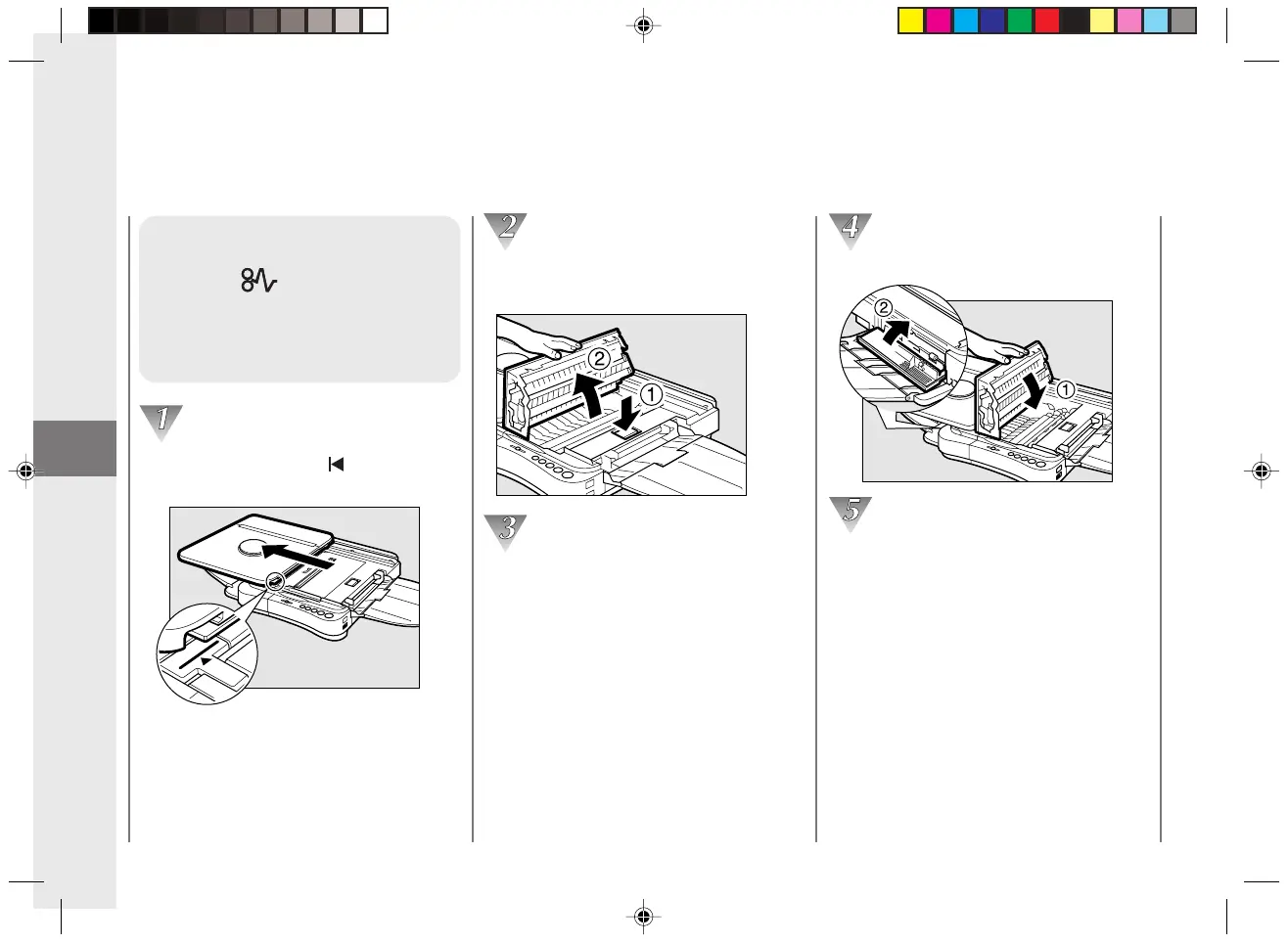
Clearing Paper Jams
(When Flashes)
When a paper jam occurs, follow
the procedure below to locate and
remove the jam.
Align the platen with the mark by
sliding it to the left.
Press the top cover release button and
open the top cover of the copier.
Check inside the copier for jammed paper.
(See “Removing Jammed Paper”.) Open
the left cover and check there as well, if
necessary.
When Error Indicators Appear
Close the left cover and the top cover.
To resume copying, turn the power switch
ON and select the number of copies to be
made.
03/ PC140-USA 10/10/03, 7:42 AM44



 To Next Page