Appendix
55
Routine Cleaning
To ensure optimum copy quality
the platen glass, platen cover,
copy tray and multi-stack tray
should be cleaned on a regular
basis.
To clean these parts, wipe with a
cloth dampened with water or a
mild cleaning agent and then wipe
with a soft dry cloth.
■ Clean the external housing of the
copier in the same way.
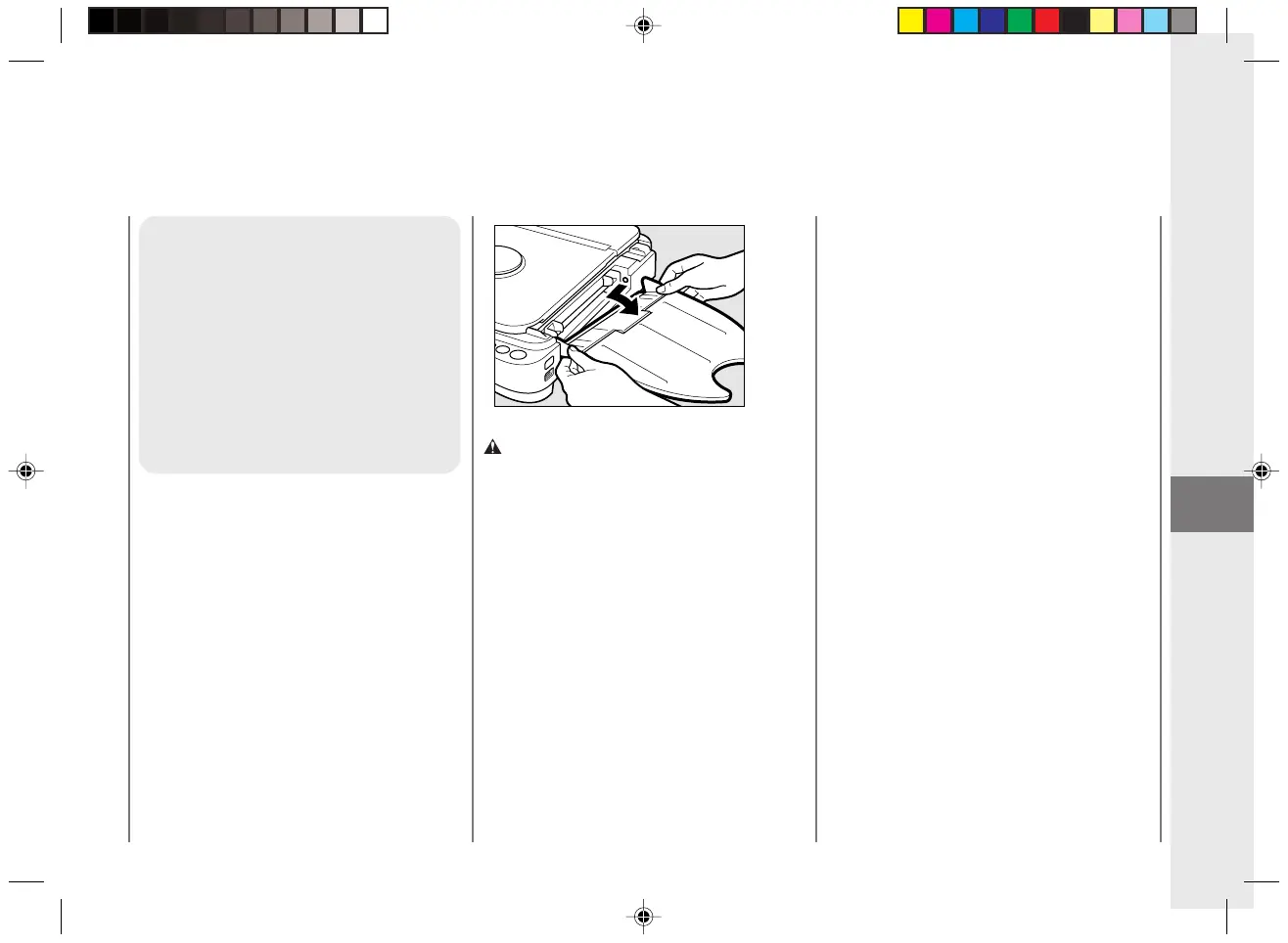
■ To clean the underside of the platen
glass, first remove the multi-stack tray
from the main unit. To do so, hold the
corners of the multi-stack tray with
both hands and lightly push inwards on
the two corners to detach the tray.
CAUTION:
• Before cleaning the copier, turn the power
switch OFF and unplug the copier from its
power source. Failure to do so may result in a
fire or electrical shock.
• Clean the copier using a firmly wrung-out cloth
dampened with a mild cleansing detergent. Do
not use alcohol, benzene, paint thinner or other
flammable substances. If flammable substances
come into contact with a high-voltage area
inside the copier, this may result in a fire or
electrical shock.
Cleaning the Copier
03/ PC140-USA 10/10/03, 7:42 AM55



 To Next Page