6
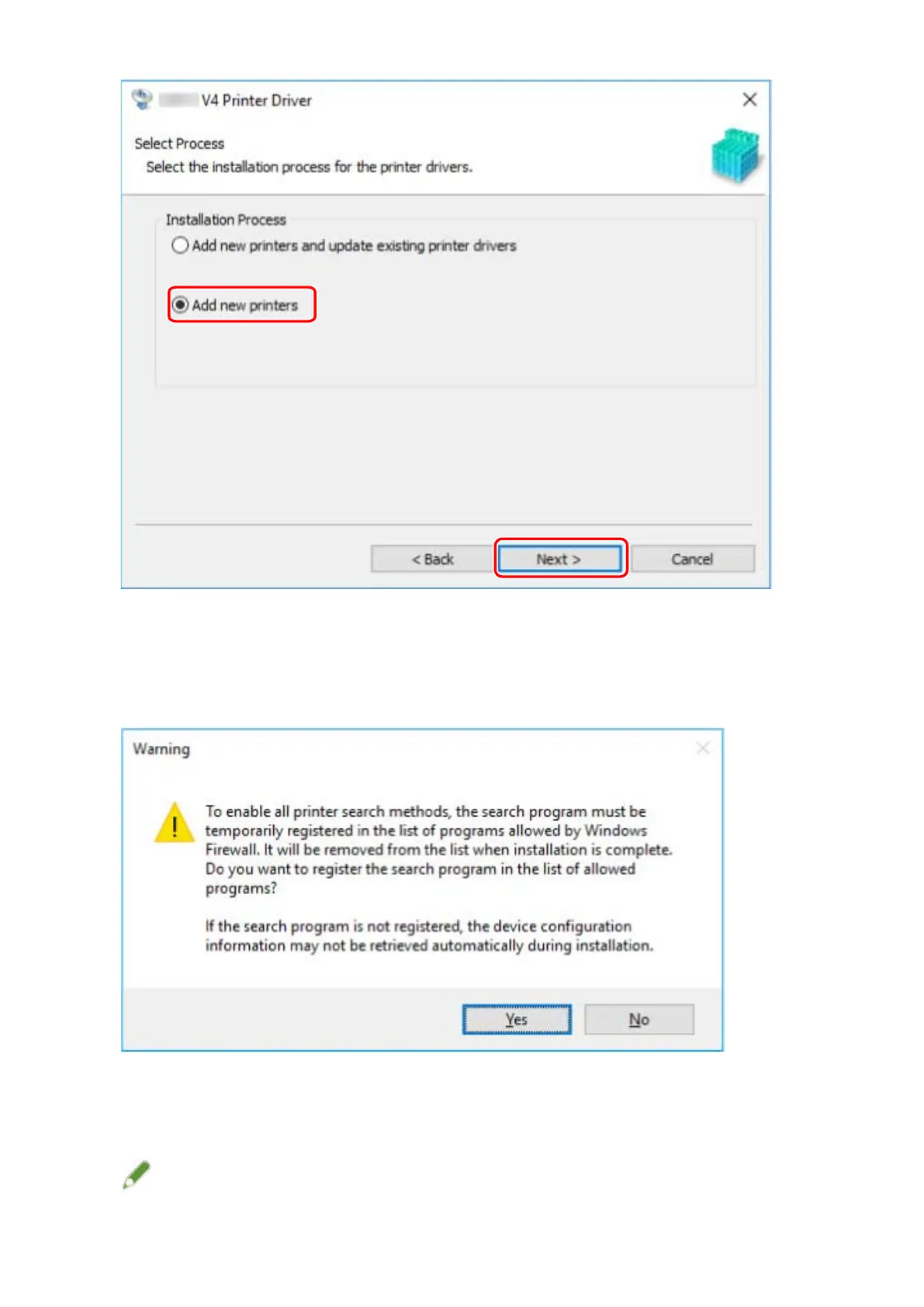
If the following message is displayed, conrm the message and click [Yes] or [No].
[Yes]: Communication using the TCP/IP protocol and WSD is enabled. This is normally recommended.
[No]: Communication is limited to the TCP/IP protocol only. In this case, device information may not be able to
be retrieved correctly.
7
Select the device to install from [Printer List].
If the device is not displayed in [Printer List], click [Search Again].
NOTE
Installing the Driver
21



 To Next Page