● If you cannot discover a device, there could be a problem with the operating system or device settings. Refer
to the subsequent troubleshooting to enable the device to be displayed in the discovery results.
Cannot discover a device on a network(P. 136)
8
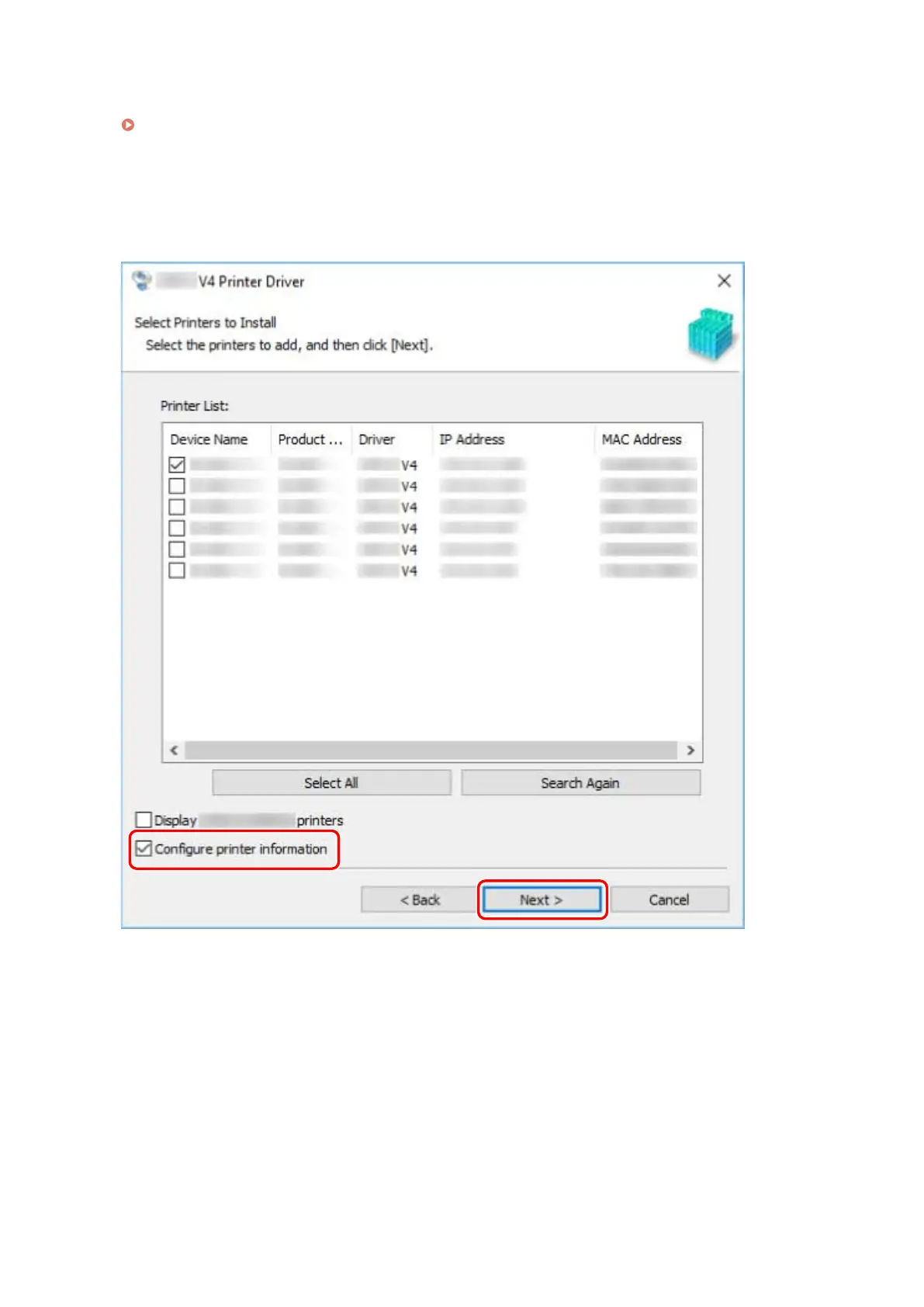
If you want to change the name of the device, or set it as the default device, select
[Congure printer information] → click [Next].
If you do not want to change the name of the device or set it as the default device, click [Next] and proceed to
step 10.(P. 23)
9
Change [Printer Name] → click [Next].
[Set as default]: Select this to set the device as the device that is normally used.
[Use as shared printer]: Select this if you want to share the device.
[Port]: Select the port you want to use if you can use multiple ports.
Installing the Driver
22



 To Next Page