Checking Print Status
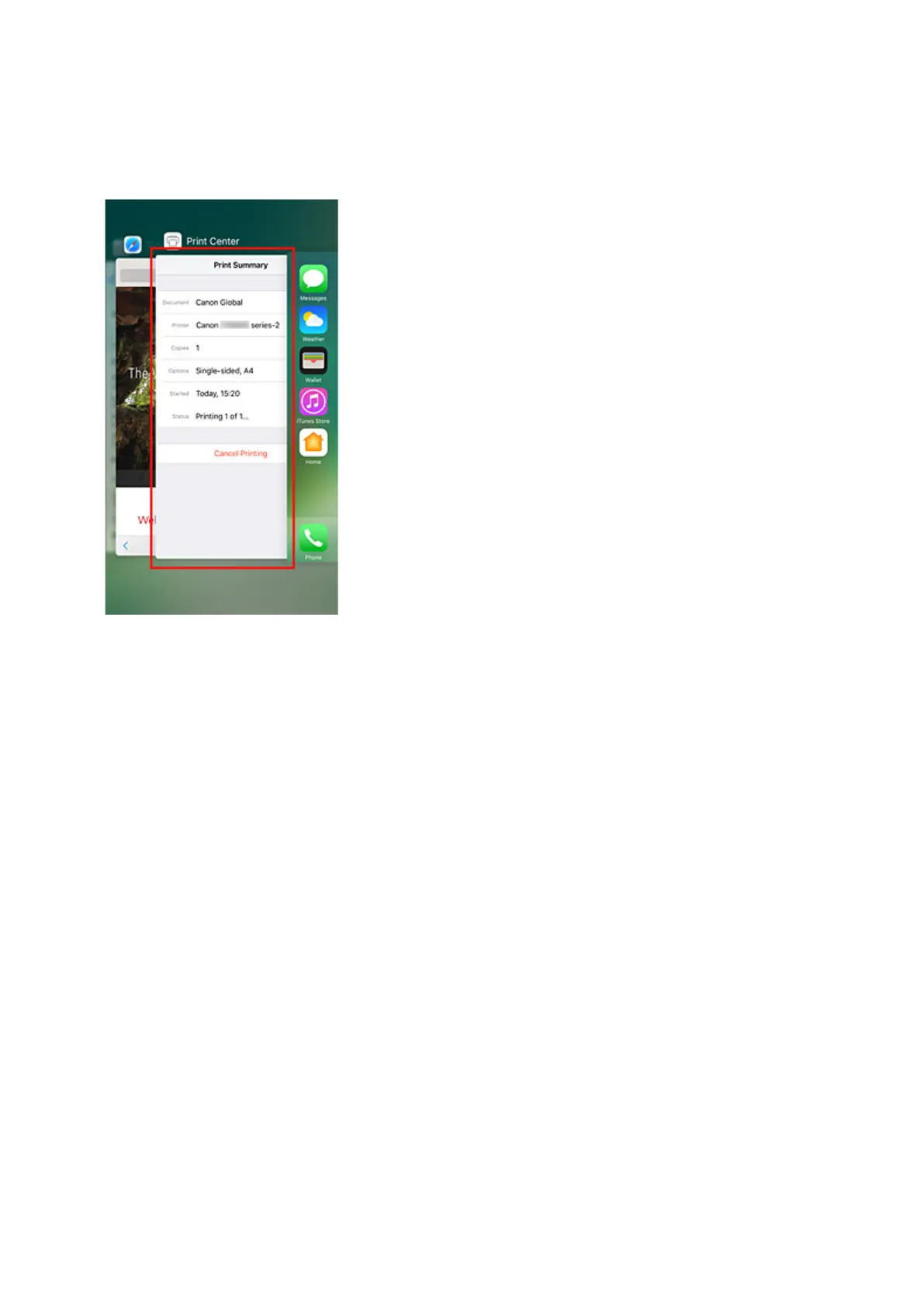
You can check the print status of AirPrint from Print Center.
Click the Home button in the iOS device twice to switch to multitask mode, swipe towards the right to
display Print Center, then tap on it.
Deleting Print Job
To delete a print job with AirPrint, use one of the following two methods:
• From printer: Use Stop button to cancel the print job.
• From iOS device: Click the Home button in the iOS device twice to switch to multitask mode, swipe
towards the right to display Print Center, then tap on it. In the screen that appears, tap on the print
job to be deleted, and then tap Cancel Printing.
200






 To Next Page