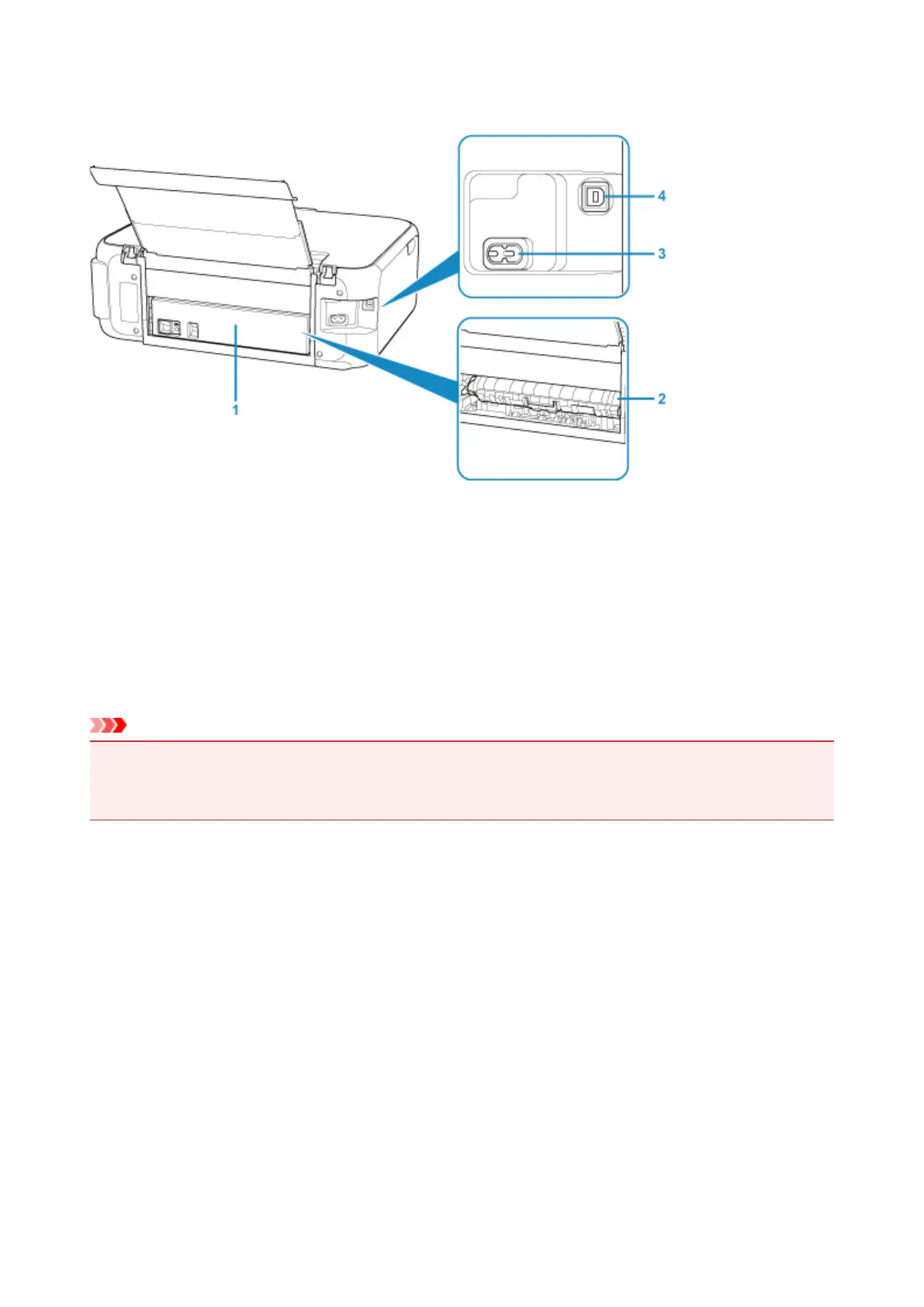
Rear View
(1) rear cover
Detach when removing jammed paper.
(2) transport unit cover
Open when removing jammed paper.
(3) power cord connector
Plug in the supplied power cord.
(4) USB port
Plug in the USB cable to connect the printer with a computer.
Important
• Do not touch the metal casing.
• Do not plug in or unplug the USB cable while the printer is printing or scanning originals with the
computer.
138






 To Next Page