Making Copies
This section describes the procedure to copy with Standard copy.
1. Make sure printer is turned on.
2. Load paper.
3.
Select Copy on the HOME screen.
LCD and Operation Panel
4.
Select Standard copy.
The Copy standby screen is displayed.
5.
Load original on platen glass.
6.
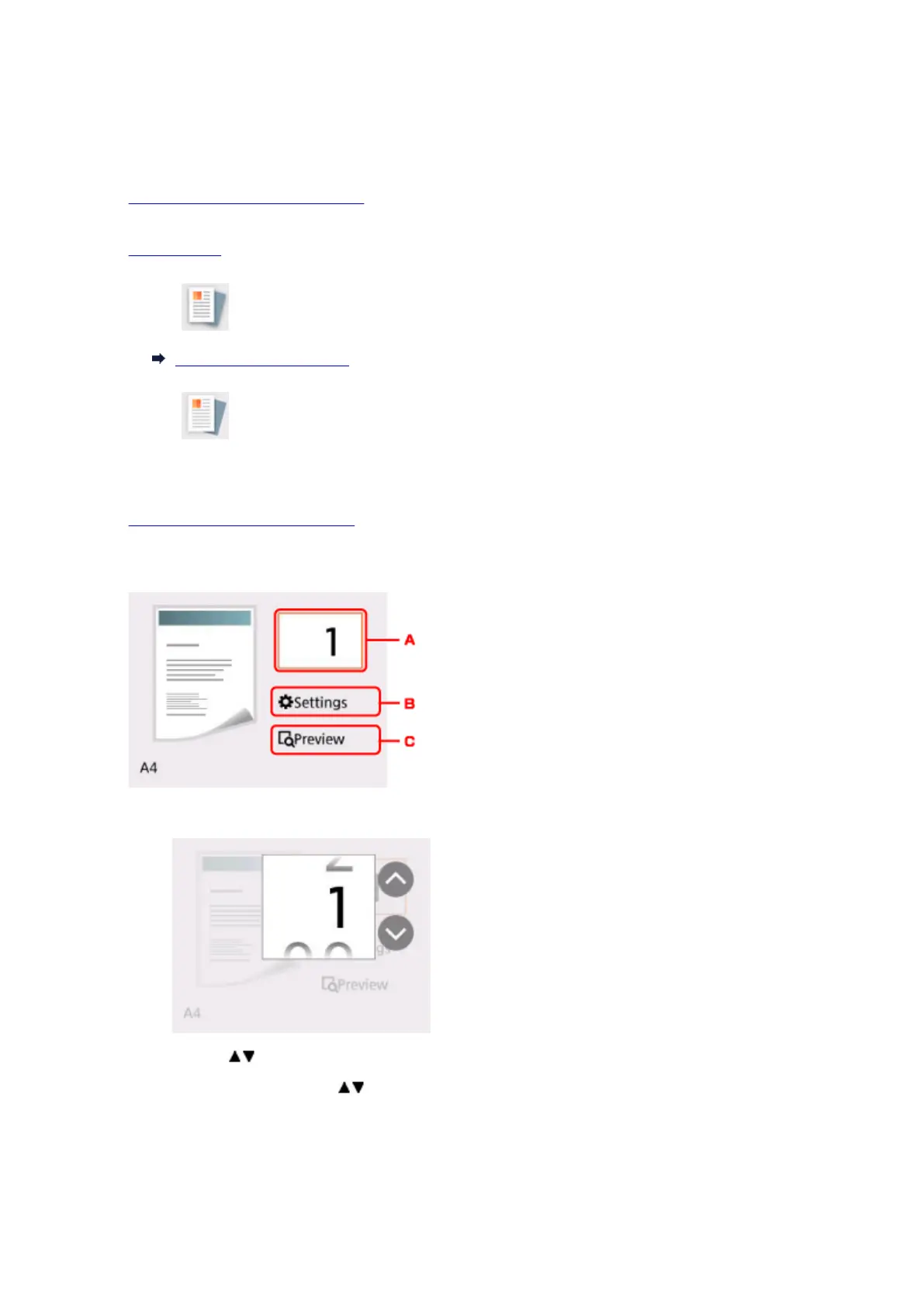
Specify settings as necessary.
A. Displays the screen to specify the number of copies.
Use the buttons to specify the number of copies.
If you keep pressing the
buttons, the number scrolls by 10.
B.
Displays the print setting items.
216






 To Next Page