Printing Photos from a Smartphone/Tablet
This section describes how to print photos with Canon PRINT Inkjet/SELPHY.
For details on how to download Canon PRINT Inkjet/SELPHY, see below.
Print Easily from a Smartphone or Tablet with Canon PRINT Inkjet/SELPHY
1.
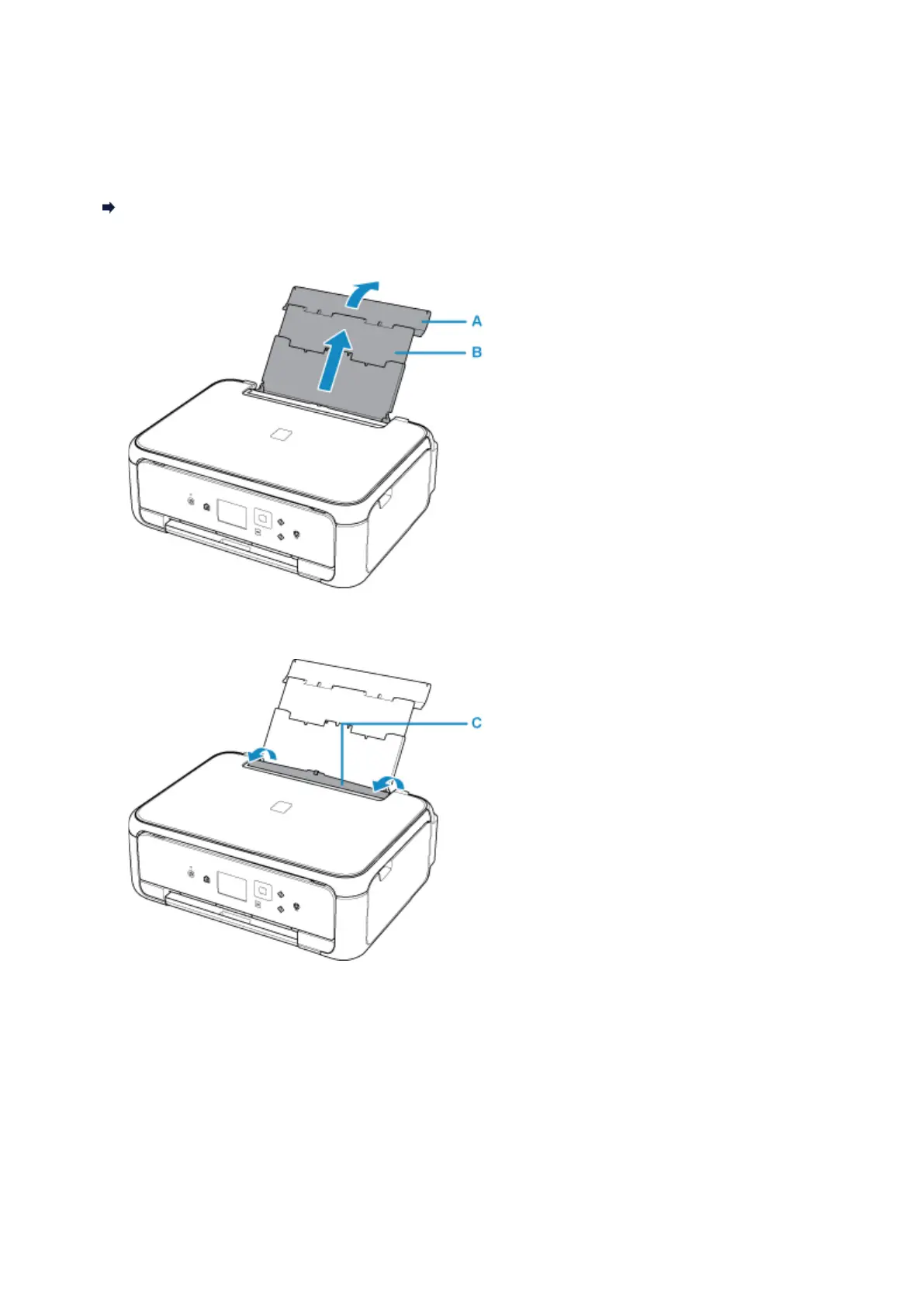
Open the rear tray cover (A) and then pull up the paper support (B).
2.
Open the feed slot cover (C).
3. Load paper vertically WITH THE PRINT SIDE FACING UP.
4. Align the paper guides (D) with the paper width.
29












 To Next Page