1890
Cause
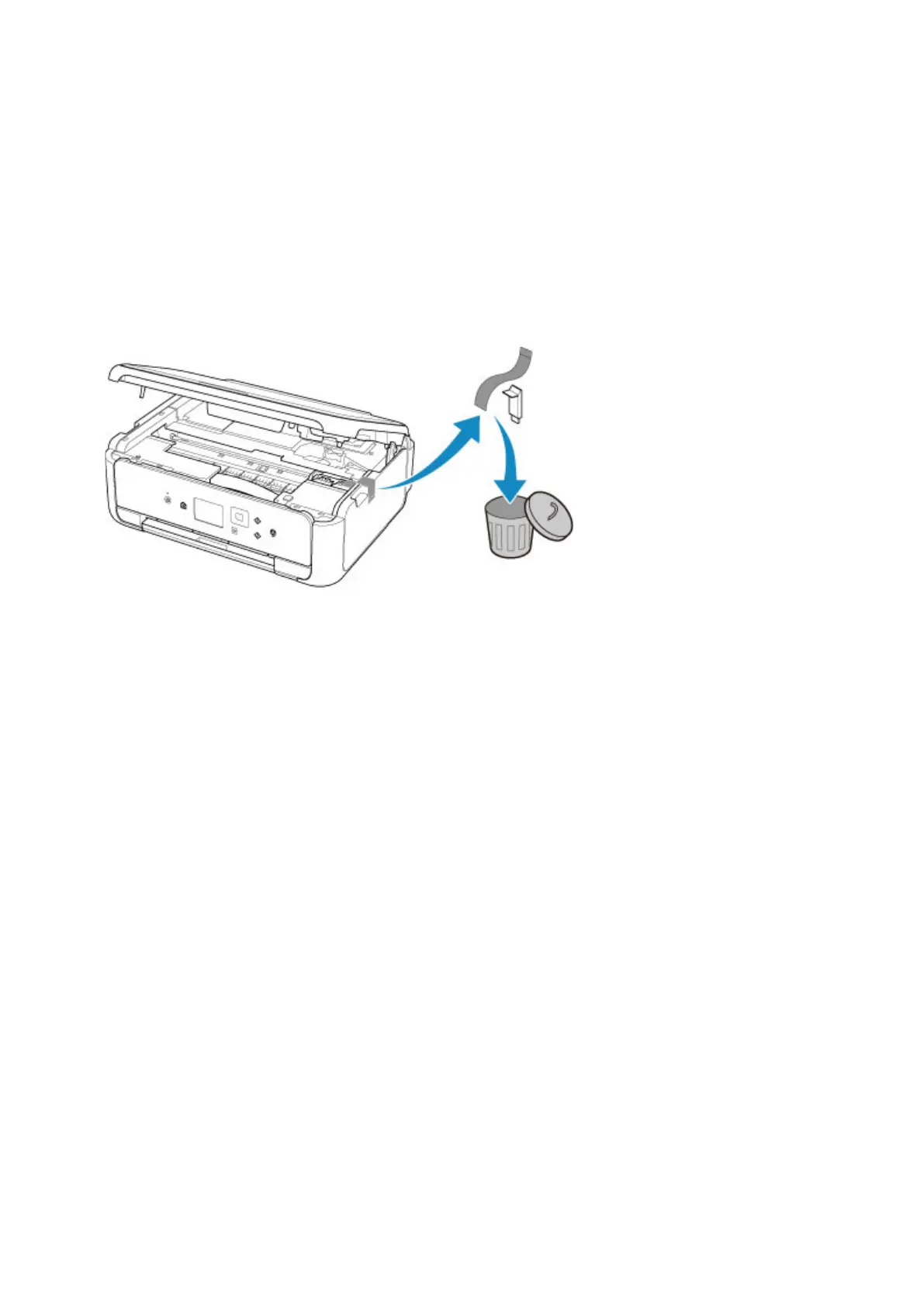
Protective material or tape may still be attached to FINE cartridge holder.
What to Do
Open the scanning unit / cover and make sure the protective material and tape have been removed from
the FINE cartridge holder.
If the protective material or tape is still there, remove it and close the scanning unit / cover.
If this does not solve the problem, contact your nearest Canon service center to request a repair.
335






 To Next Page