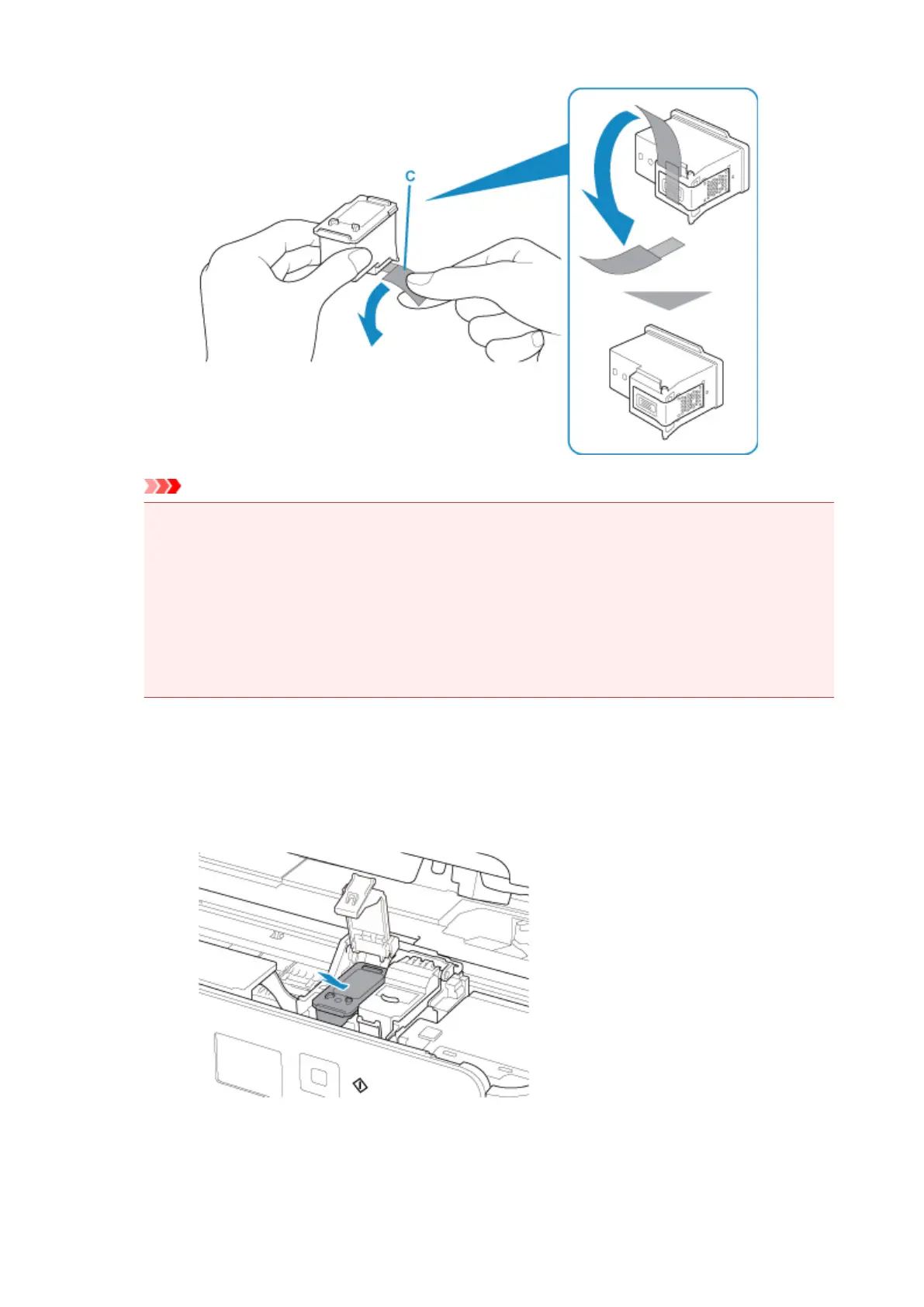
Important
• If you shake a FINE cartridge, ink may spill out and stain your hands and the surrounding area.
Handle a FINE cartridge carefully.
• Be careful not to stain your hands and the surrounding area with ink on the removed protective
tape.
• Do not reattach the protective tape once you have removed it. Discard it according to the local
laws and regulations regarding disposal of consumables.
• Do not touch the electrical contacts or print head nozzle on a FINE cartridge. The printer may
not print properly if you touch them.
5.
Install the FINE cartridge.
1.
Put a new FINE cartridge in the FINE cartridge holder.
The color FINE cartridge should be installed into the left slot and the black FINE cartridge should be
installed into the right slot.
2. Close the ink cartridge locking cover to lock the FINE cartridge into place.
Push down the ink cartridge locking cover until it clicks.
80












 To Next Page