Creating Web Pages
5-9
Using the Viewer for Java to Distribute Videos
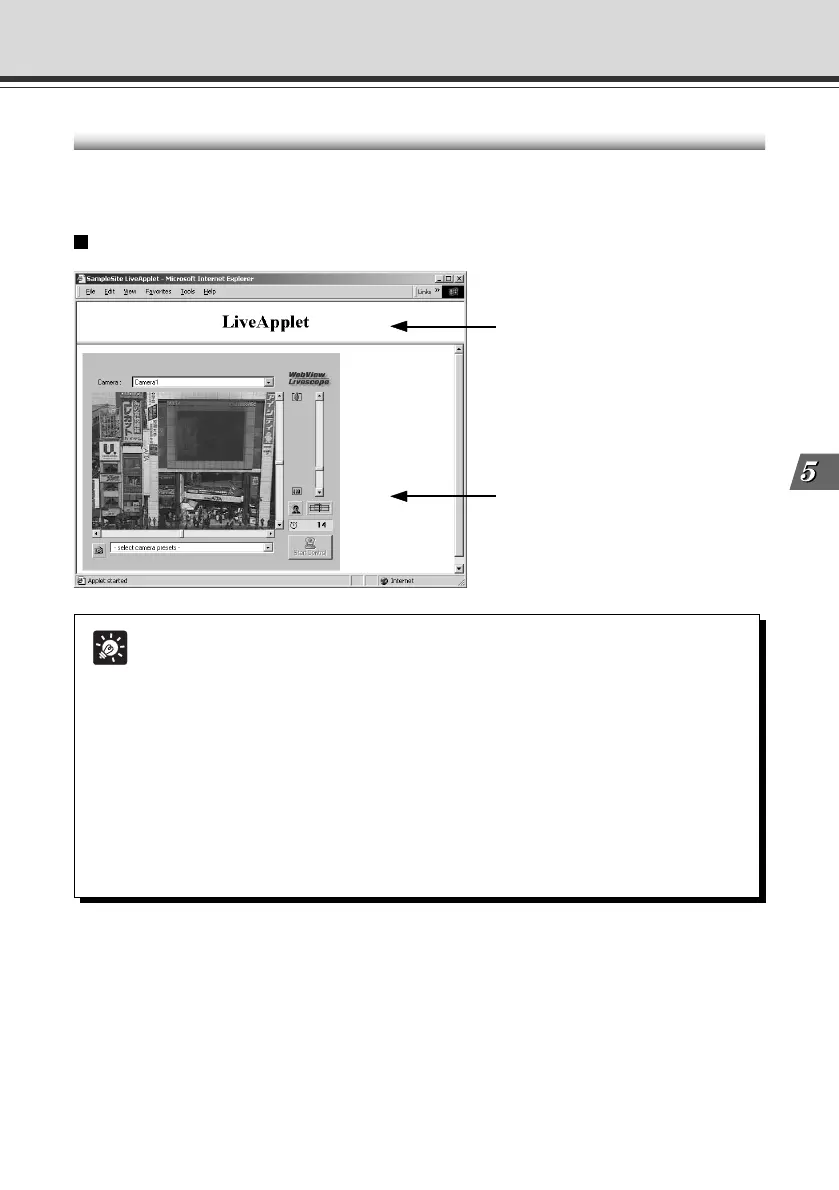
Example of Using the Viewer for Java to Create a Web Page
This section describes an example in which the Viewer for Java is used to create a Web page.
Use this example to create your own original Web page.
Tip
Writing IP Addresses
Using the Web server functions built into the VB-C50i/VB-C50iR, IP addresses can
be expressed as <_I_P_A_D_D_R_> (all upper-case characters, including the angle
brackets) or as <_W_E_B_S_E_R_V_E_R_> (html-compatible only, all in upper-case
characters, including the angle brackets) in the 3 file types (html, wvh and wvp) used
by the Web server in the VB-C50i/VB-C50iR.
Since <_I_P_A_D_D_R_> or <_W_E_B_S_E_R_V_E_R_> is replaced with the
actual address when the VB-C50i/VB-C50iR is accessed, the Web page does not
need to be changed even when the VB-C50i/VB-C50iR’s IP address is changed.
NAT can also be supported by specifying a global address for the Web page
(→ P.5-26).
Embed the Viewer for Java, and Display a Text in a Separate Frame
2 The text displayed in a
separate frame
3 Frame with the embedded
Viewer for Java
1 Frame settings
005-VBC50i-E-US 06.7.6, 11:36 AM9



 To Next Page